
Content gaps
On this page
- How to find your content gaps
- Step 1. Open Opportunities
- Step 2. Browse the prompt list
- Step 3. Switch between open and completed items
- How to read a content gap
- How to fix a content gap
- Step 1. Open the fixes
- Step 2. Review each fix
- Step 3. Copy the instructions
- Step 4. Mark the fix as done
- How to use a different target page
- Step 1. Find the target page field
- Step 2. Add your page
- Frequently asked questions
A content gap is a tracked prompt where AI models don't mention your brand because no page on your website fully answers the question. The Content gaps tab in the Track My Visibility application finds these prompts and the pages on your site that come closest to answering them, and tells you what to change.
The tab lists your top 8 prompts where AI models don't mention your brand, or mention it only at position 3 or lower. For each prompt, it suggests the pages to improve and the specific fixes to make, so your content work goes to the prompts with the most potential.
How to find your content gaps#
Step 1. Open Opportunities#
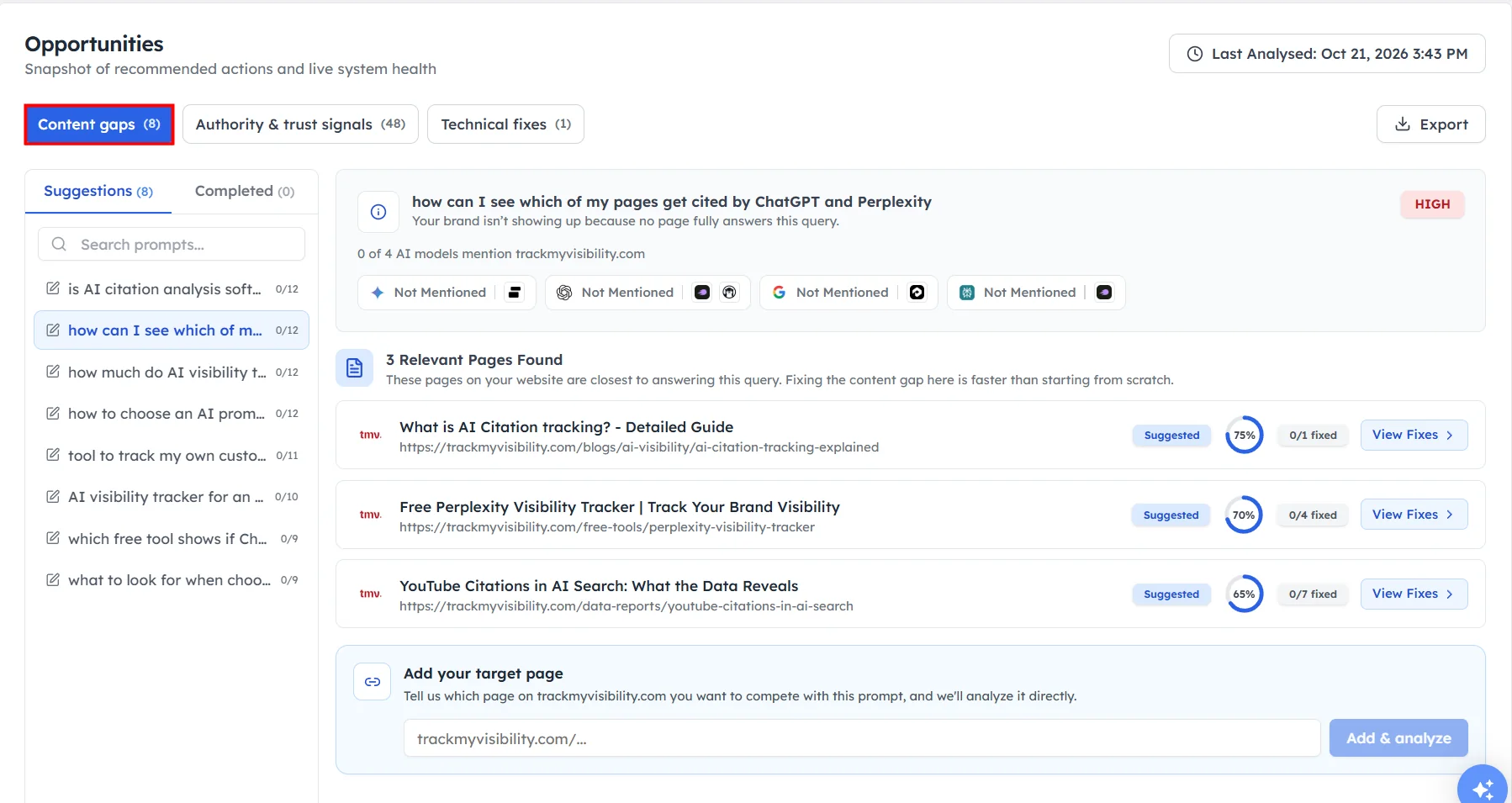
Click Opportunities under Overview in the left sidebar, then select the Content gaps tab. The number on the tab shows how many content gaps were found.
Step 2. Browse the prompt list#
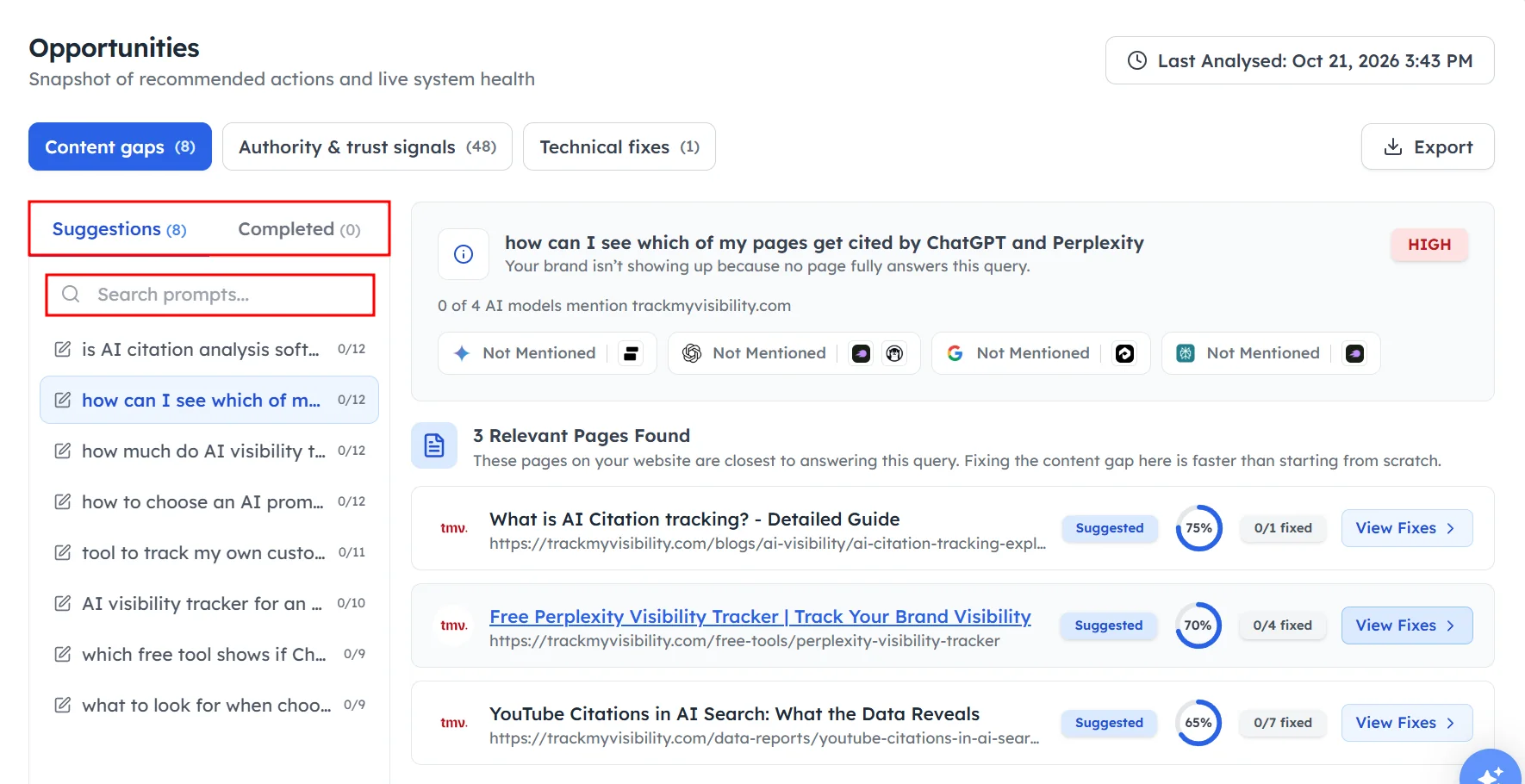
The left panel lists every prompt with a content gap. The counter next to each prompt, such as 0/20, shows how many of its fixes are done. Use the search box to find a specific prompt.
Step 3. Switch between open and completed items#
Use Suggestions to see open content gaps, and Completed to see the ones you've already fixed.
How to read a content gap#
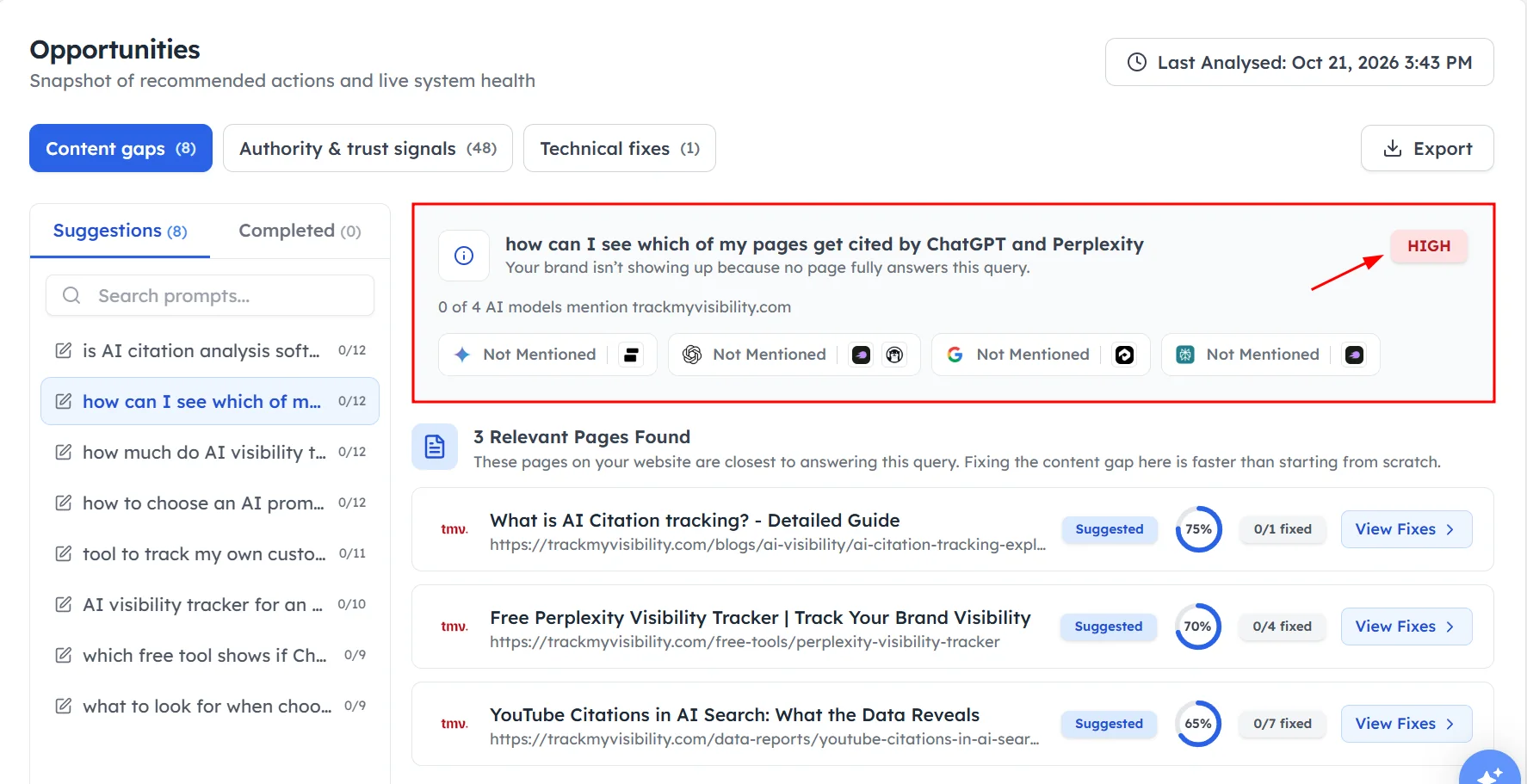
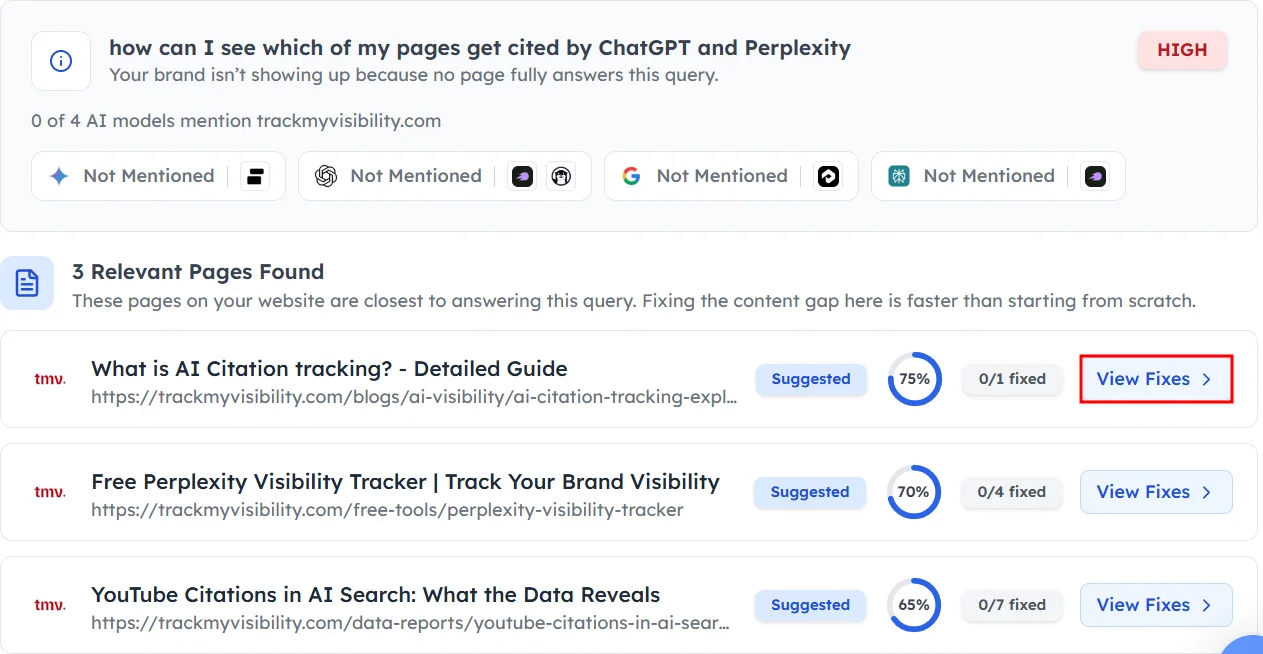
Click a prompt in the list to see its details in the right panel. At the top, you'll see:
- The prompt and the reason your brand isn't showing up.
- A priority label, such as High. Start with these.
- How many AI models mention your site, such as 0 of 4.
- The status for each AI model, with the competitors mentioned instead.
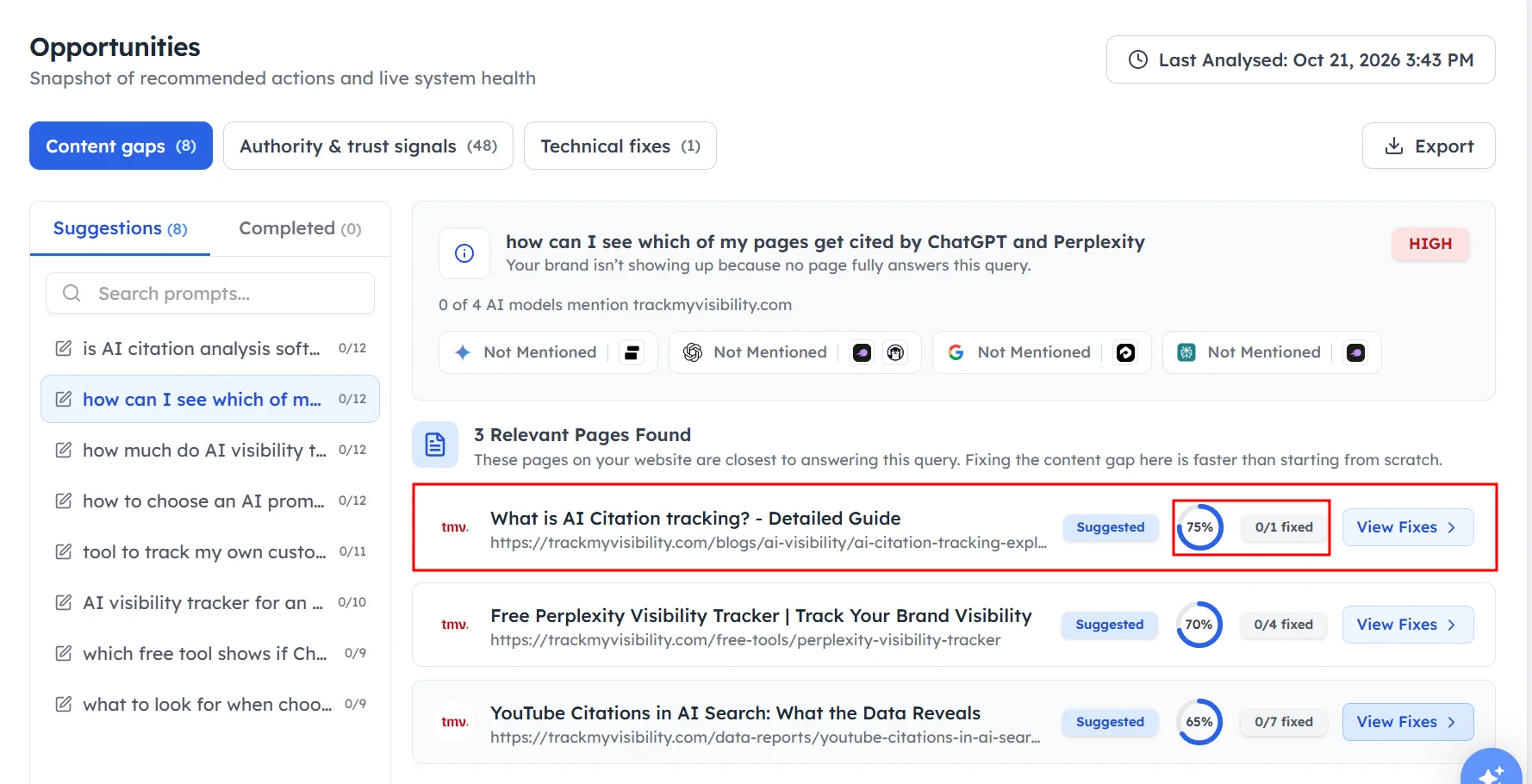
Below that, the Relevant Pages Found section lists up to three pages on your site that come closest to answering the prompt. Each page shows:
- Its title and URL.
- A Suggested label.
- A percentage score.
- How many fixes are done, such as 0/5 fixed.
How to fix a content gap#
Step 1. Open the fixes#
Click View Fixes next to the page you want to improve.
Step 2. Review each fix#
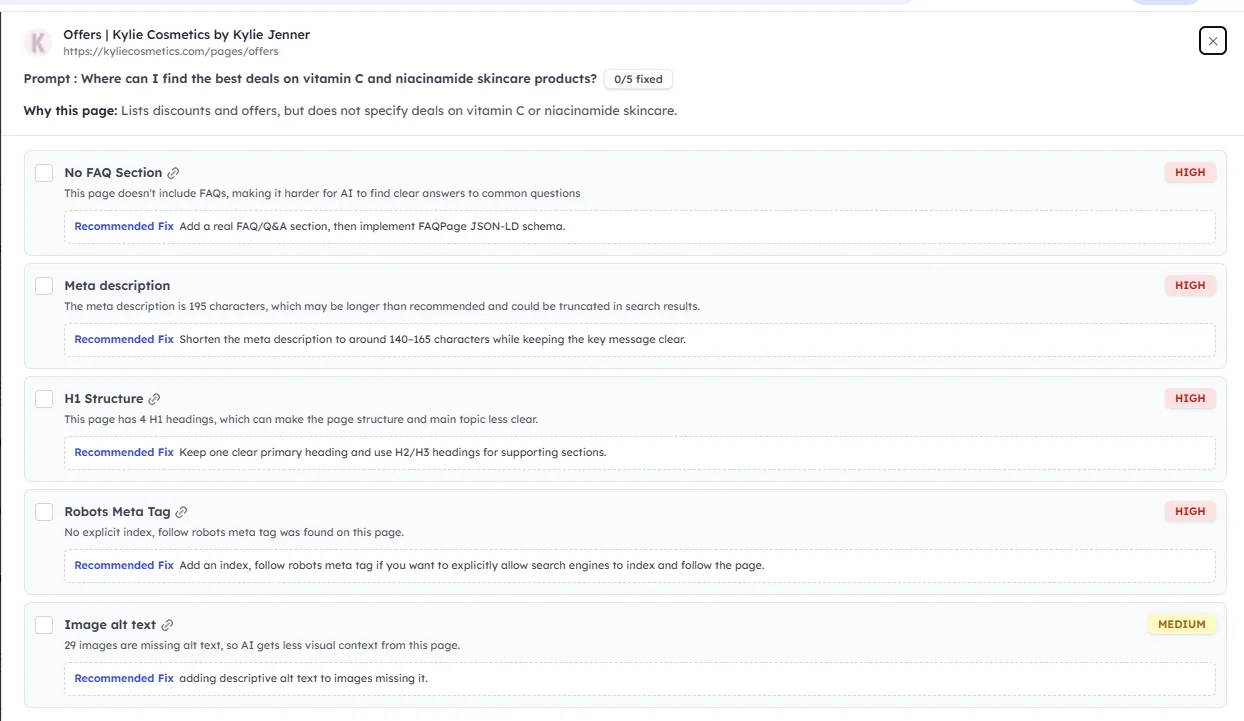
Each item is a Fix or a Suggestion. A Fix is a confirmed problem on the page, and a Suggestion is a check that something is set up properly. Each item tells you what to add, where to add it and how. For example, a fix might ask you to add an FAQ section or FAQ schema to the page. Each fix also shows an effort level, so you know how long it might take.
Step 3. Copy the instructions#
Click the copy button to copy the fix, then paste it into a brief for your writer or a ticket for your developer.
Step 4. Mark the fix as done#
Once the change is live on your site, mark the fix as completed, and it moves to the Completed list.
How to use a different target page#
Track My Visibility picks the best page it can find. If you'd rather improve a different page, you can add it yourself.
Step 1. Find the target page field#
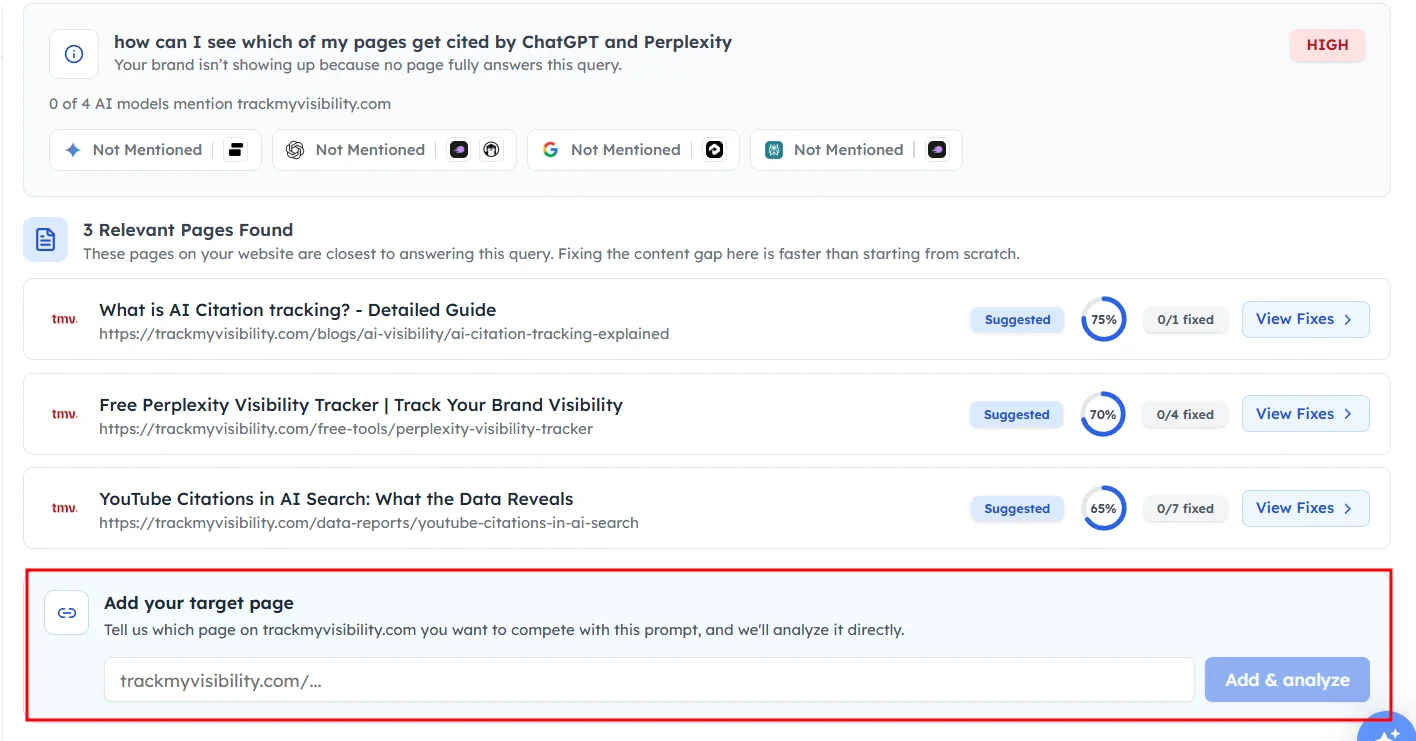
Scroll to Add your target page at the bottom of the panel.
Step 2. Add your page#
Enter the URL of the page on your site and click Add & analyze. Track My Visibility analyzes the page and suggests fixes for it.
Frequently asked questions#
What is a content gap in AI search?
A content gap in AI search is a question your buyers ask where AI models don't mention your brand, because no page on your website answers it fully. Track My Visibility finds content gaps among your tracked prompts and suggests the pages and fixes that can close them.
How do I get my content cited by AI models?
AI models cite pages that answer the question directly and clearly. Use the fixes in the Content gaps tab to add direct answers, FAQ sections, structured data and missing details to your pages, and make sure AI crawlers can reach them. See Technical fixes.
Should I update an existing page or write a new one?
Update an existing page first if Track My Visibility finds a relevant page with a good score, because improving a page is usually faster. Write a new page only when no relevant page exists or the existing pages cover a different topic.
How long does it take for content changes to show in AI answers?
Content changes usually take a few weeks to show in AI answers, because AI models need to crawl and process the updated page. Check the prompt's visibility on each new run after the change is live.
What does the priority label mean?
The priority label shows which content gaps to work on first. Start with High priority gaps, which usually have the most potential to improve your AI visibility.
Related articles
Last updated 3 Nov 2026
Can't find what you need?
Email support@trackmyvisibility.com with your website, what you were trying to do and what you saw. A screenshot helps.