
Tracking AI referral traffic
On this page
- How to connect Google Analytics
- Step 1. Open AI Referrals
- Step 2. Click Connect Google Analytics
- Step 3. Select a property
- Step 4. Sync your data
- How to read the Overview tab
- Overview card
- Traffic over time
- Breakdowns
- How to read the Details tab
- Channels
- Session Path
- Event Page
- How to manage the connection
- Frequently asked questions
AI Referrals in the Track My Visibility application shows the visits your website gets from AI tools such as ChatGPT, Claude, Perplexity and Gemini. It uses data from your Google Analytics account, so you can see sessions, engagement and conversions from AI search in one place.
Visibility tells you whether AI models mention your brand. AI Referrals tells you whether those mentions bring people to your site, and whether those people convert. Together, they connect your AI search presence to real traffic.
How to connect Google Analytics#
Step 1. Open AI Referrals#
Click AI Referrals under Monitoring in the left sidebar.
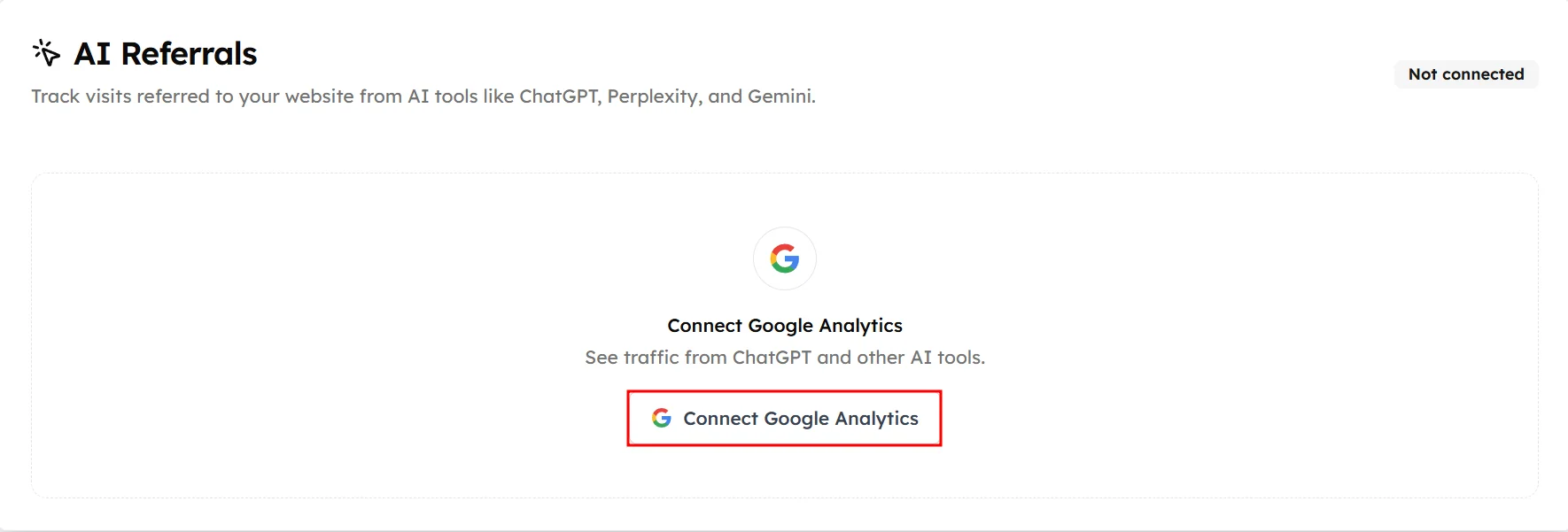
Step 2. Click Connect Google Analytics#
Sign in with the Google account that has access to your website's Google Analytics property.
Step 3. Select a property#
Pick the Google Analytics property for this website. Use the search box if you have many properties. Then click Continue.
Step 4. Sync your data#
Track My Visibility imports your AI referral visits from Google Analytics. Your insights fill in once the sync finishes.
How to read the Overview tab#
Overview card#
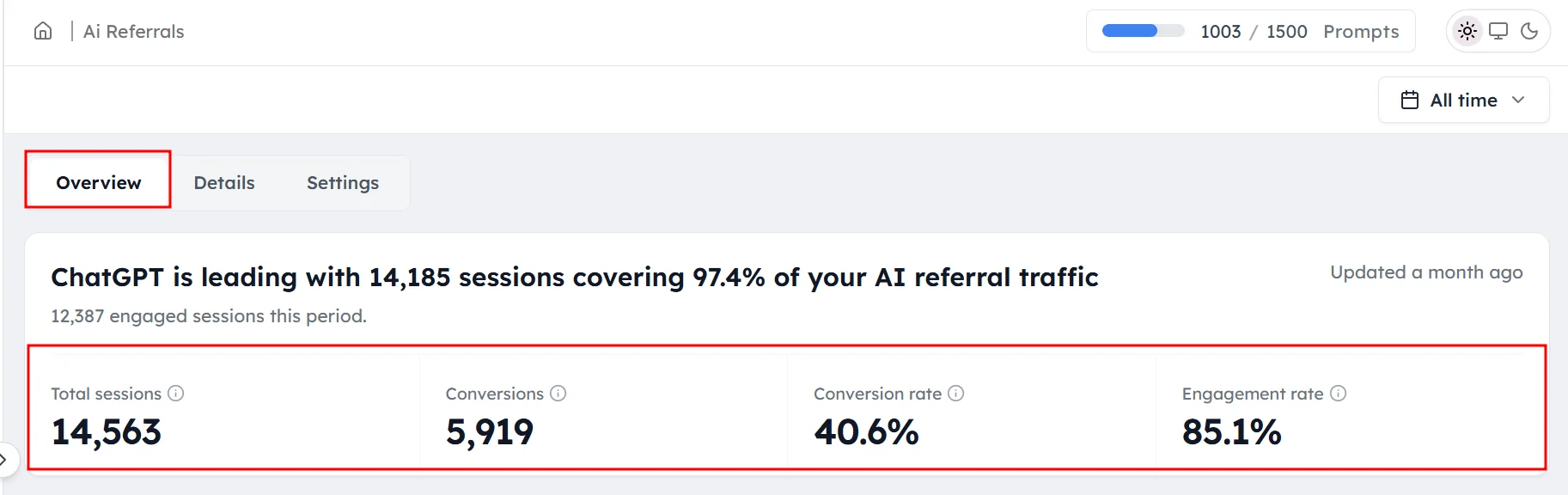
The card at the top shows your results for the selected period:
- Total sessions: visits referred by AI tools.
- Conversions: conversion actions completed by AI-referred visitors.
- Conversion rate: the share of AI-referred sessions that converted.
- Engagement rate: the share of AI-referred sessions that were engaged.
The headline names your leading AI tool, which is the one sending the most sessions.
Traffic over time#
This chart shows AI-referred traffic over time, with one line per AI tool:
- Switch between Sessions and Conversions.
- Switch between daily (D) and weekly (W) views.
Breakdowns#
Breakdowns split your AI referral sessions by source, landing page, country and device. For each, you'll see sessions, engaged sessions, engagement rate, conversions and conversion rate. Use them to find which AI tools, pages, countries and devices bring the most engaged and converting visitors.
How to read the Details tab#
Channels#
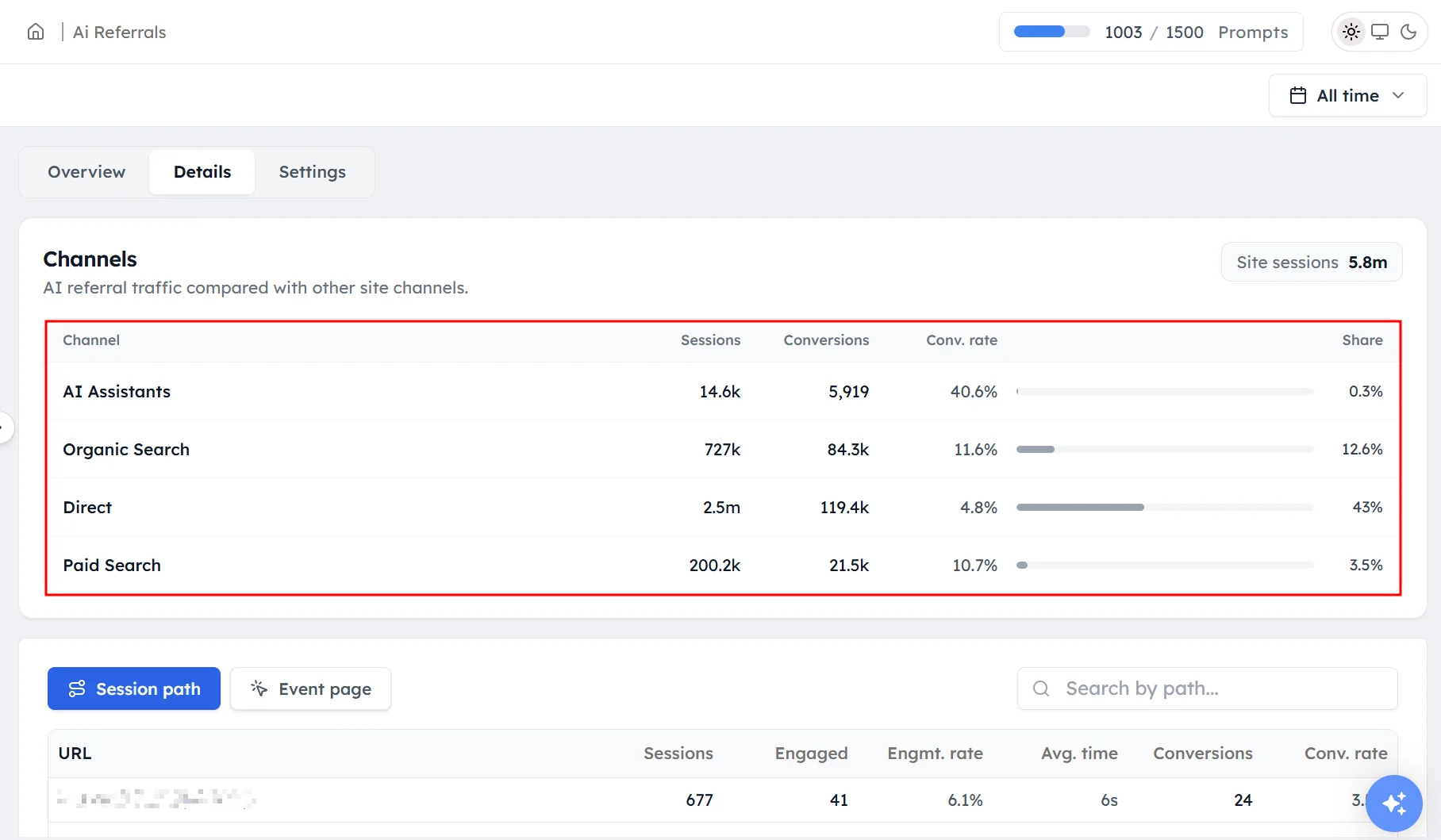
Channels compares AI referral traffic with your other traffic:
- AI Assistants: visits from AI tools such as ChatGPT, Claude, Gemini and Perplexity.
- Organic Search: search engine visits. Google AI Overviews and AI Mode visits count here, not under AI Assistants.
- Direct: visits with no known source. Some AI visits land here when the AI tool doesn't pass on where the visit came from.
- Paid Search: visits from search ads.
For each channel, you'll see sessions, conversions, conversion rate and its share of all sessions.
Session Path#
Session Path lists the pages where AI-referred visitors started their visit. For each page, you'll see sessions, engaged sessions, engagement rate, average time, conversions and conversion rate. Use Search by path to find a page.
Event Page#
Event Page lists the pages where visitor events happened during AI-referred visits. For each page, you'll see events, session starts, conversions and conversion rate. Use Search by page to find a page.
How to manage the connection#
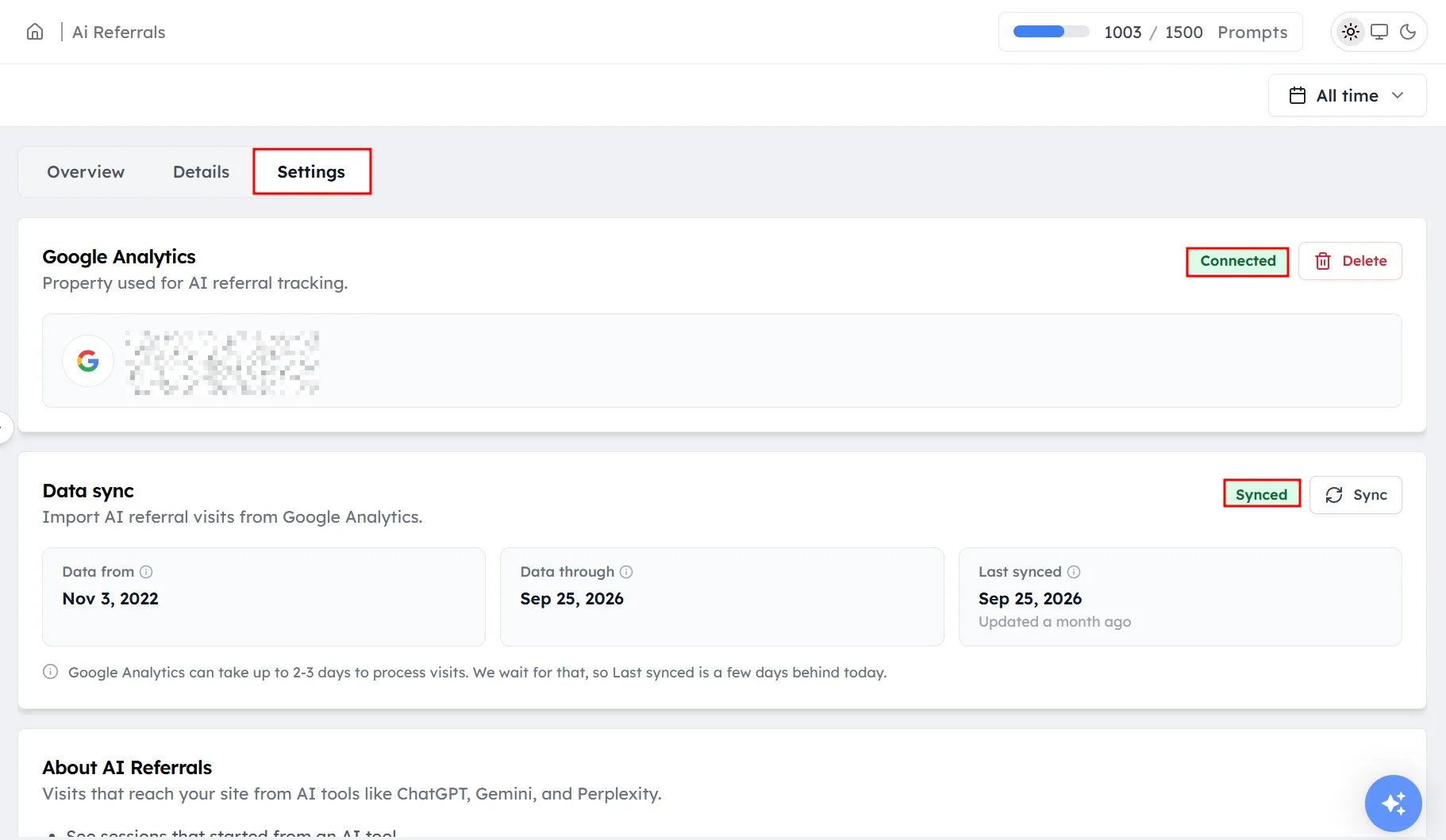
Open the Settings tab. Google Analytics shows the connected property, the Google account used and its status. Click Delete to disconnect the property.
Data sync shows:
- Data from: the earliest date with AI referral data.
- Data through: the latest date imported.
- Last synced: when data was last imported.
Click Sync to import new data now.
Frequently asked questions#
How do I track traffic from ChatGPT to my website?
Connect Google Analytics in AI Referrals under Monitoring. Track My Visibility then shows the sessions, engagement and conversions that ChatGPT and other AI tools send to your website, broken down by tool, landing page, country and device.
Why is my AI referral traffic lower than I expected?
Some AI traffic isn't labeled as AI in Google Analytics. Visits from Google AI Overviews and AI Mode count as Organic Search, and visits from AI tools that don't pass on their source count as Direct. Your real AI traffic is likely higher than the AI Assistants number.
Does AI Referrals count visits from Google AI Overviews?
No. Google AI Overviews and AI Mode visits are counted as Organic Search in Google Analytics, so they appear in the Channels table under Organic Search rather than AI Assistants.
Why is my AI referral data a few days behind?
Google Analytics takes 2 to 3 days to process visits. Track My Visibility waits until that processing is done, so the latest imported date is always a few days before today.
Do I need a separate Google Analytics connection for each website?
Yes. Connect Google Analytics separately for each website you track, and select the property that belongs to that website.
How do I know if AI visibility leads to conversions?
Compare the Conversions and Conversion rate in AI Referrals with your visibility over the same period. If conversions from an AI tool rise as your visibility on that model rises, your AI search presence is bringing in customers.
Related articles
Last updated 3 Nov 2026
Can't find what you need?
Email support@trackmyvisibility.com with your website, what you were trying to do and what you saw. A screenshot helps.