
Managing your products
On this page
Managing your products means uploading your product catalog to the Track My Visibility application so you can compare it with what ChatGPT Shopping shows. Once your catalog is uploaded, you can see which of your products AI finds, which it misses and whether the prices it shows match yours.
Without a catalog, Track My Visibility shows only the products ChatGPT already mentions. With a catalog, you can also see the products that are missing from AI shopping answers.
How to add your products#
Step 1. Open Products#
Click Products under Shopping in the left sidebar.
Step 2. Click Add Products#
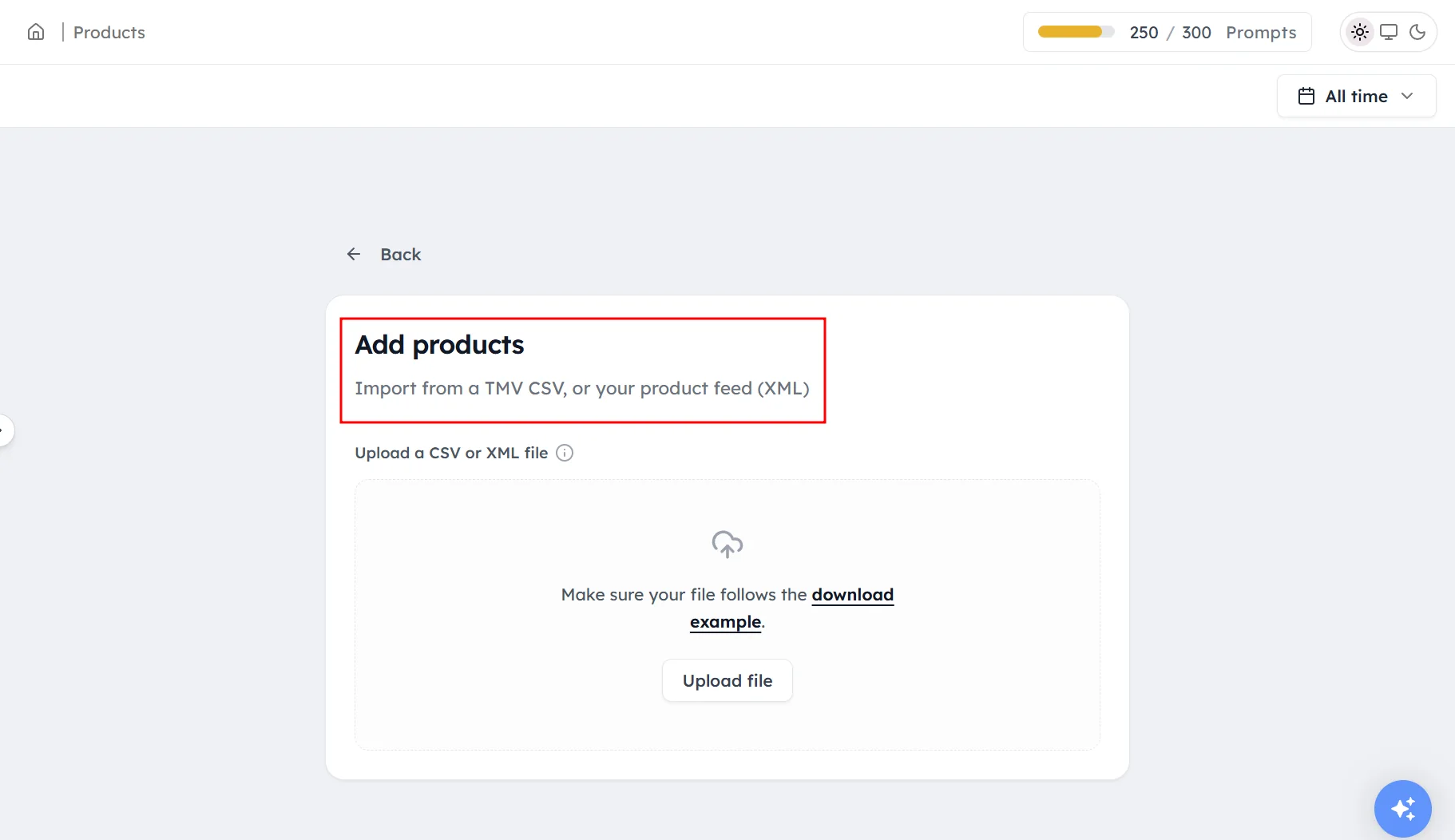
Click + Add Products above the table.
Step 3. Upload your catalog#
Upload a CSV file or an XML product feed.
How to compare your catalog with AI#
Use the first dropdown above the table to switch between:
- My Catalog: everything you uploaded.
- Catalog & AI: your products that ChatGPT also found. These products are showing up in AI answers.
- AI Discovered: products ChatGPT found, whether or not they're in your catalog.
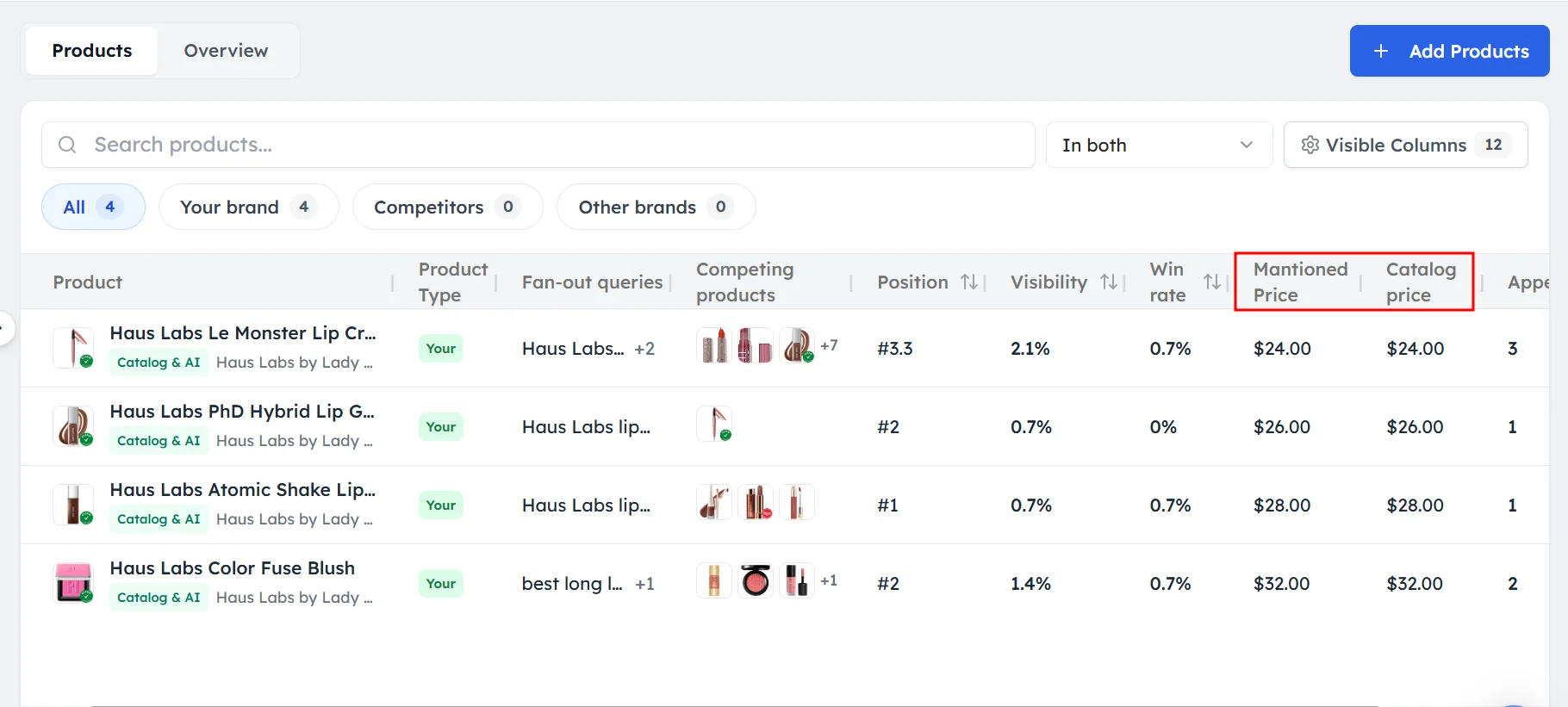
Then check these columns:
- Mentioned Price and Catalog price: a gap means ChatGPT is showing an out-of-date or different price.
- Rating and Reviews: low ratings or few reviews can keep a product out of AI answers.
How to fix products that AI misses#
Products that ChatGPT never shows usually need work in a few places:
- Product pages: make sure each page states the product type, key features, sizes and price clearly.
- Retailer listings: list the product with the stores that appear in Top Merchants, with accurate prices.
- Reviews: collect reviews on the stores and review sites ChatGPT uses.
- Prompts: add shopping prompts for the product's category. See Setting up shopping prompts.
How to keep your catalog up to date#
Upload your catalog again whenever your products or prices change.
Frequently asked questions#
How do I upload my product catalog to Track My Visibility?
Open Products under Shopping, click + Add Products and upload a CSV file or an XML product feed. Your products then appear in the My Catalog view.
What file formats can I upload?
You can upload a CSV file or an XML product feed. XML feeds can also include product variants, such as sizes or colors.
What is the difference between My Catalog and AI Discovered?
My Catalog shows the products you uploaded. AI Discovered shows the products ChatGPT included in its shopping answers, whether or not they are in your catalog. Catalog & AI shows the overlap.
Why are some of my catalog products missing from AI answers?
Products are usually missing because ChatGPT doesn't find them for the searches it runs, or because the stores it trusts don't list them. Improve the product pages, update retailer listings and add shopping prompts for those categories.
How often should I update my catalog?
Update your catalog whenever your products or prices change. An up-to-date catalog makes the price comparison accurate and shows new products in your gap analysis.
Related articles
Last updated 3 Nov 2026
Can't find what you need?
Email support@trackmyvisibility.com with your website, what you were trying to do and what you saw. A screenshot helps.