
Setting up your prompts
On this page
- What makes a good prompt
- How many prompts to track
- How to add a prompt
- Step 1. Open Prompts
- Step 2. Enter your prompt
- Step 3. Choose a topic and country
- Step 4. Add more prompts
- How to get prompt suggestions
- How to edit, deactivate or delete a prompt
- How to export your prompts
- How to review your prompts over time
- Frequently asked questions
Prompts are the questions the Track My Visibility application asks AI models on your behalf. Every metric in Track My Visibility, from visibility and position to sentiment and sources, comes from the answers to these prompts.
Because your data depends on your prompts, the prompts you choose decide how useful your AI visibility tracking is. A prompt that matches how your buyers really ask questions gives you data you can act on. A vague or unrealistic prompt gives you noise.
What makes a good prompt#
Write prompts the way a real person would ask an AI model. Use a full question, not a keyword. For example, "Which project management tools work best for a 10-person design agency?" works better than "project management software".
Follow these guidelines:
- Keep most prompts non-branded. Non-branded prompts show whether AI models recommend your brand to people who don't know it yet.
- Add a few branded prompts, such as "Is [your brand] good for small teams?", to see how AI models describe your brand.
- Cover different buying stages, from research to comparison to purchase.
- Add details your customers use, such as industry, team size, budget or location.
- Ask one question per prompt.
Each prompt also has an intent, such as commercial, comparison or transactional.
How many prompts to track#
Your plan sets how many prompts you can track. The counter at the top of every page shows how many you've used, such as 275 / 300.
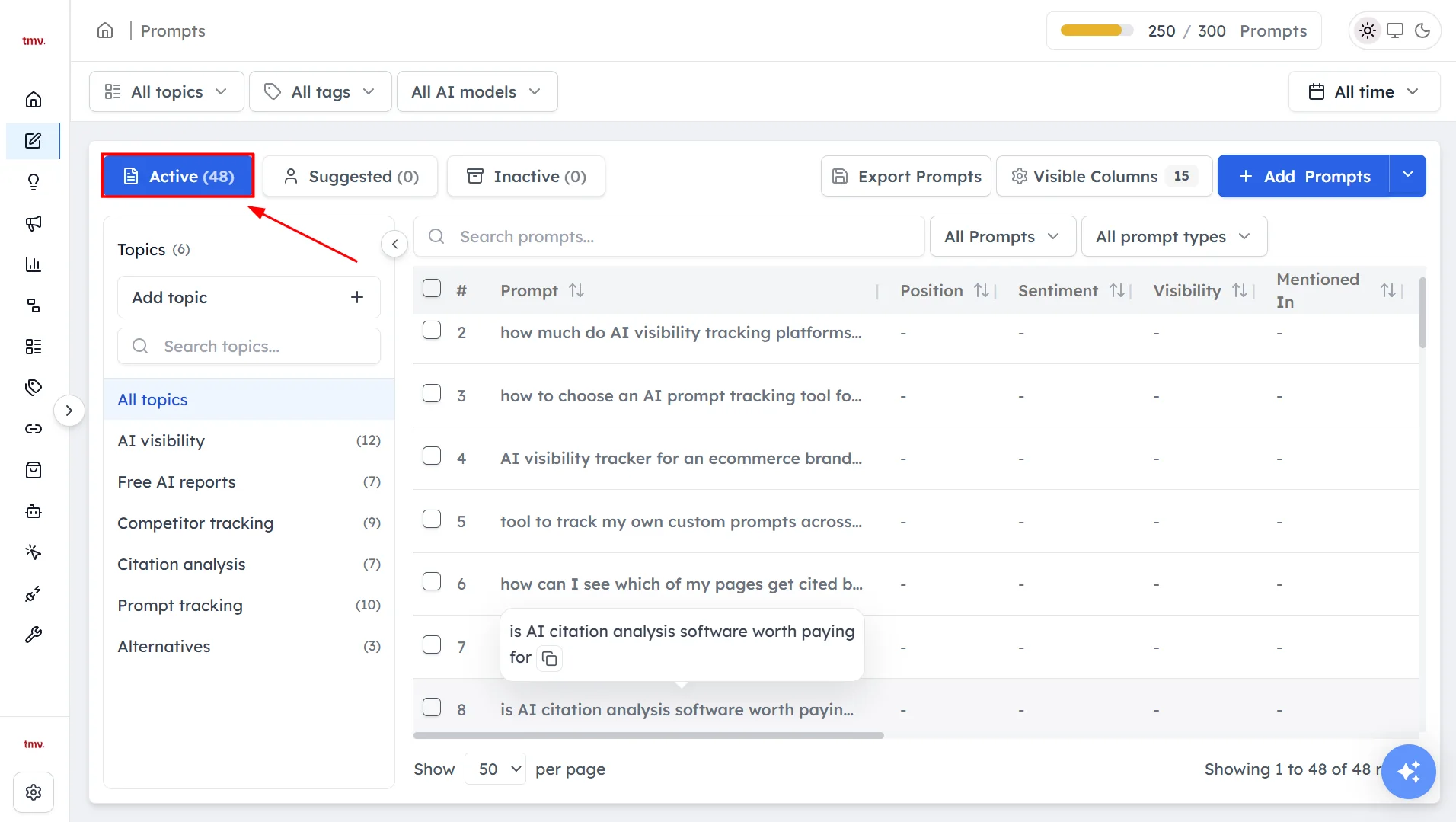
Start with a focused set of 10 to 20 prompts that you have reviewed, then grow toward 25 to 50 non-branded prompts across your main topics, plus a few branded ones. Each active prompt runs on every AI model you track, so a larger set gives you broader coverage but also uses more of your quota.
How to add a prompt#
Step 1. Open Prompts#
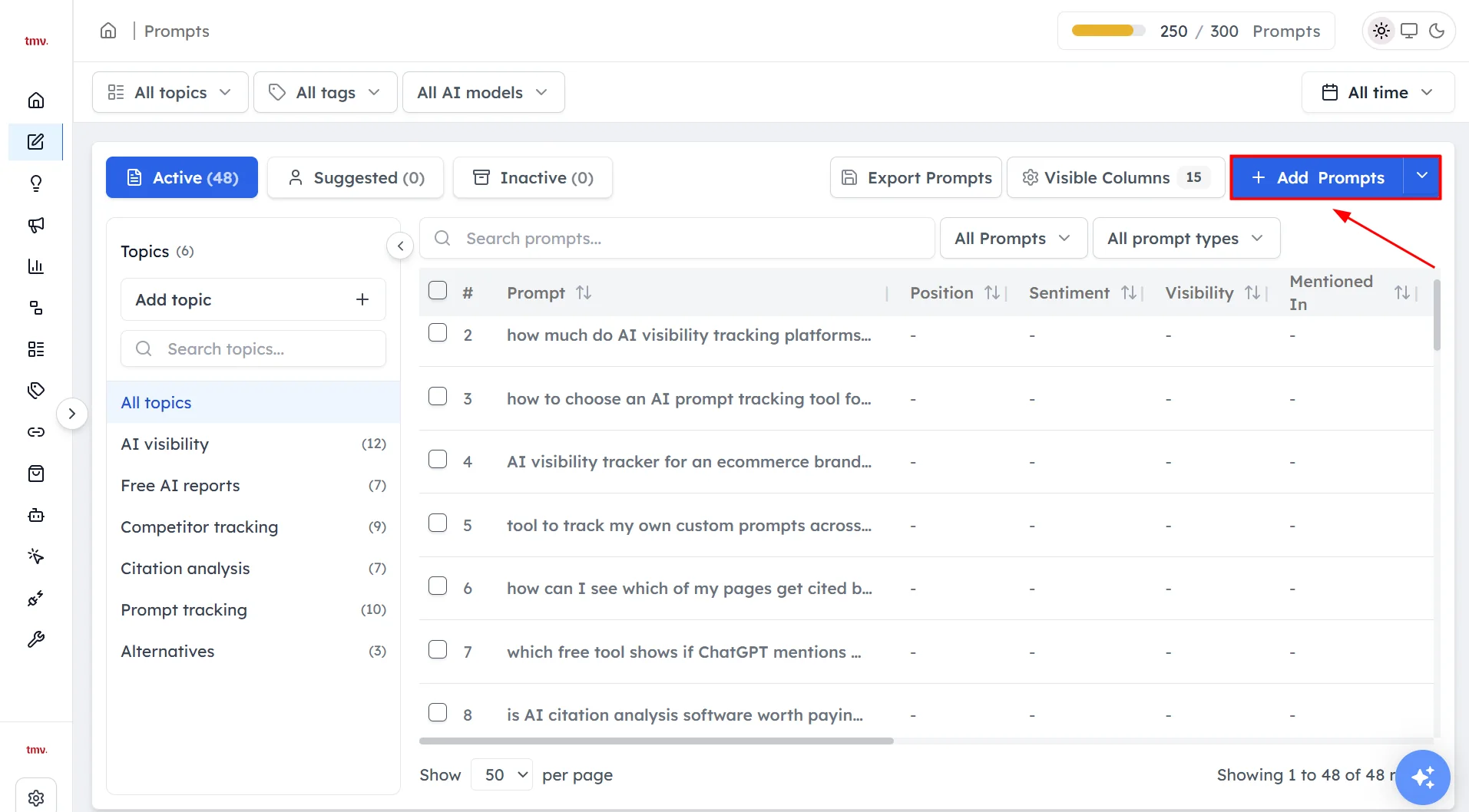
Click Prompts in the left sidebar.
Step 2. Enter your prompt#
Click Add prompt and type the question the way a customer would ask it. Prompts can be up to 300 characters long.
Step 3. Choose a topic and country#
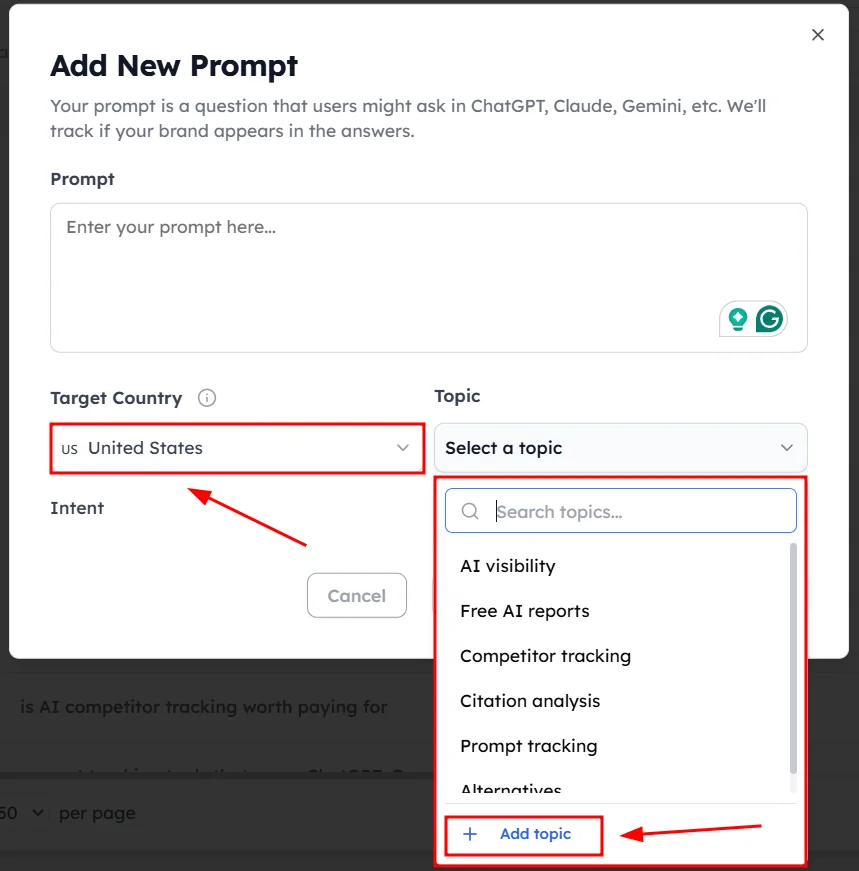
Select a topic for the prompt, or create a new one if none fit. Then select the country the prompt should run in, because AI models give different answers in different countries.
Step 4. Add more prompts#
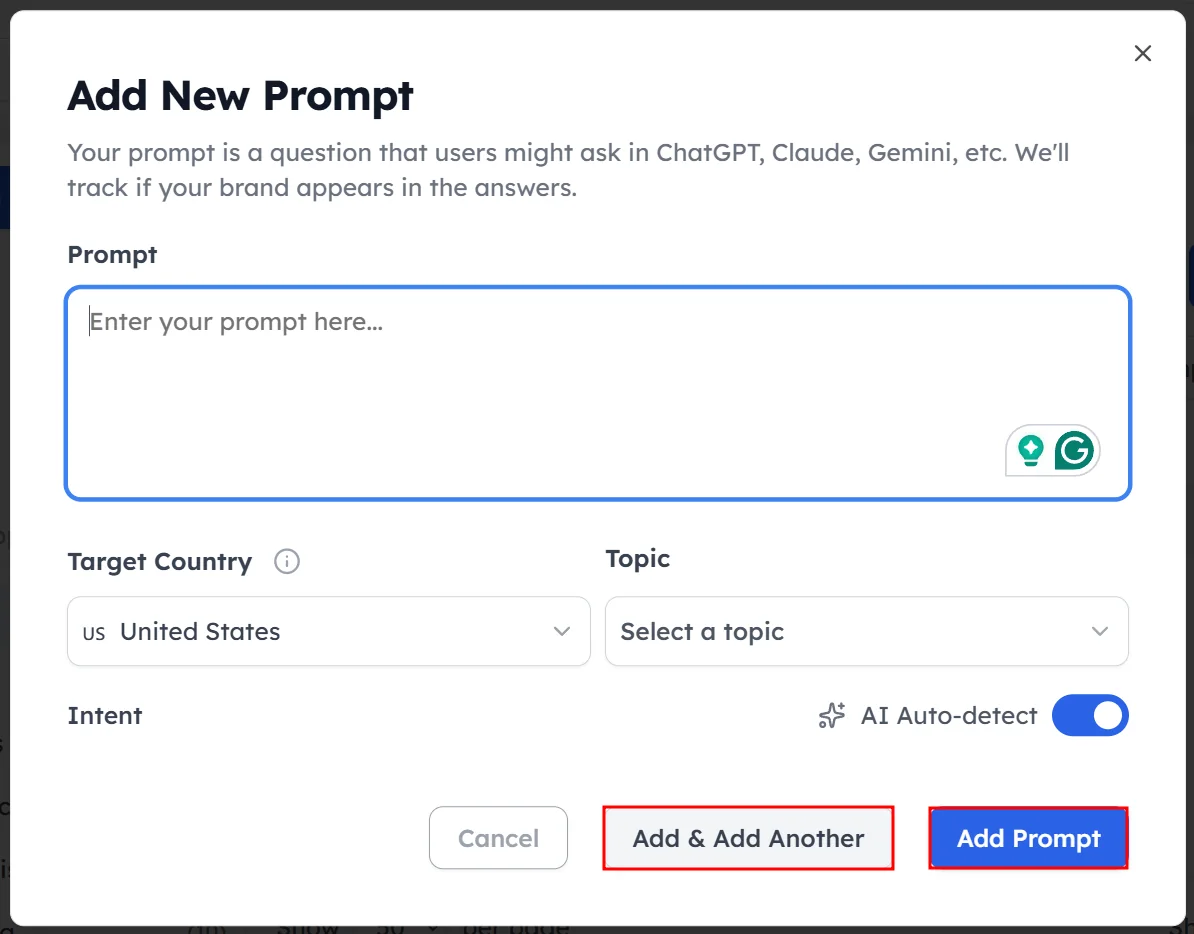
To add another prompt in the same session, click Add another.
How to get prompt suggestions#
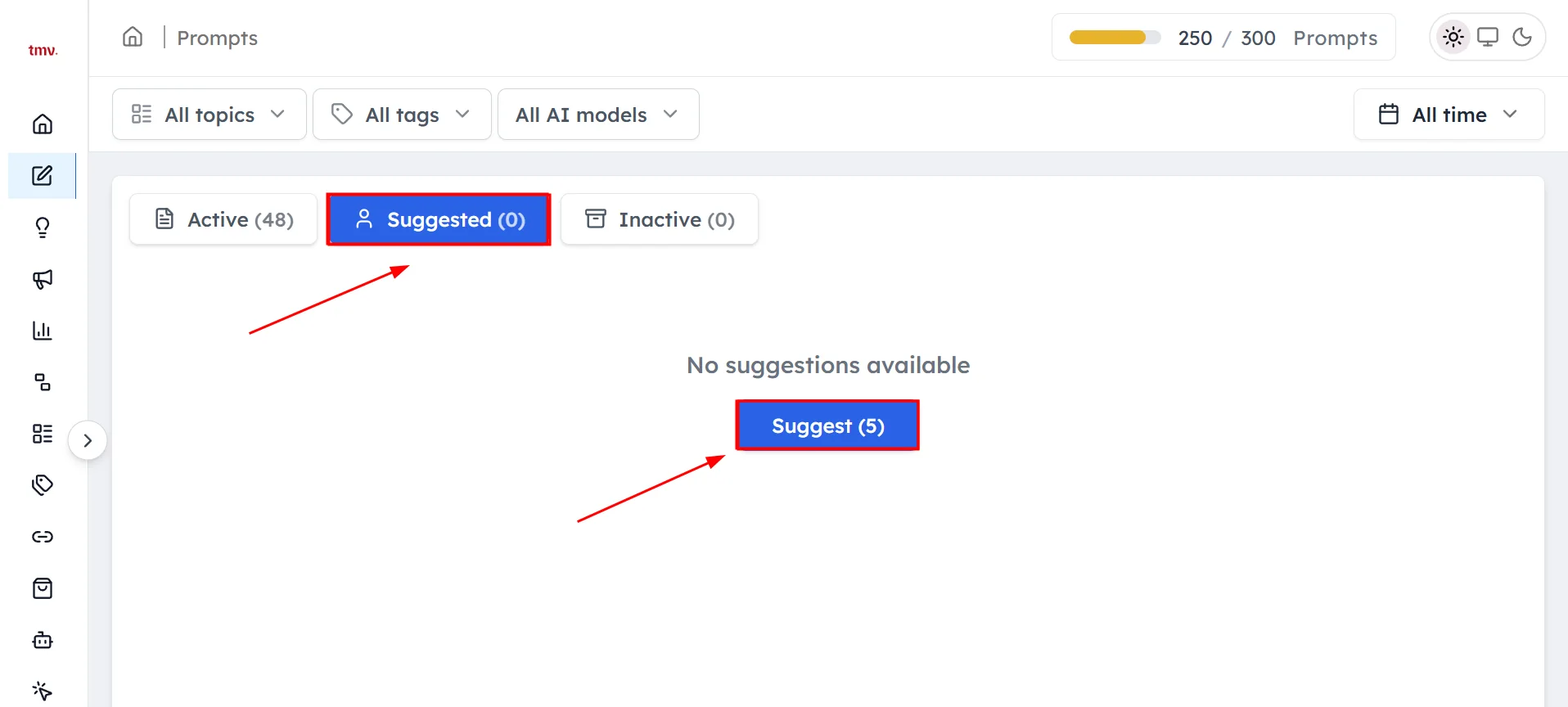
Click Suggest Five on the Prompts page. Track My Visibility suggests five prompts based on your website and topics. Suggested prompts are kept in their own list, so you can tell them apart from the prompts you wrote.
How to edit, deactivate or delete a prompt#
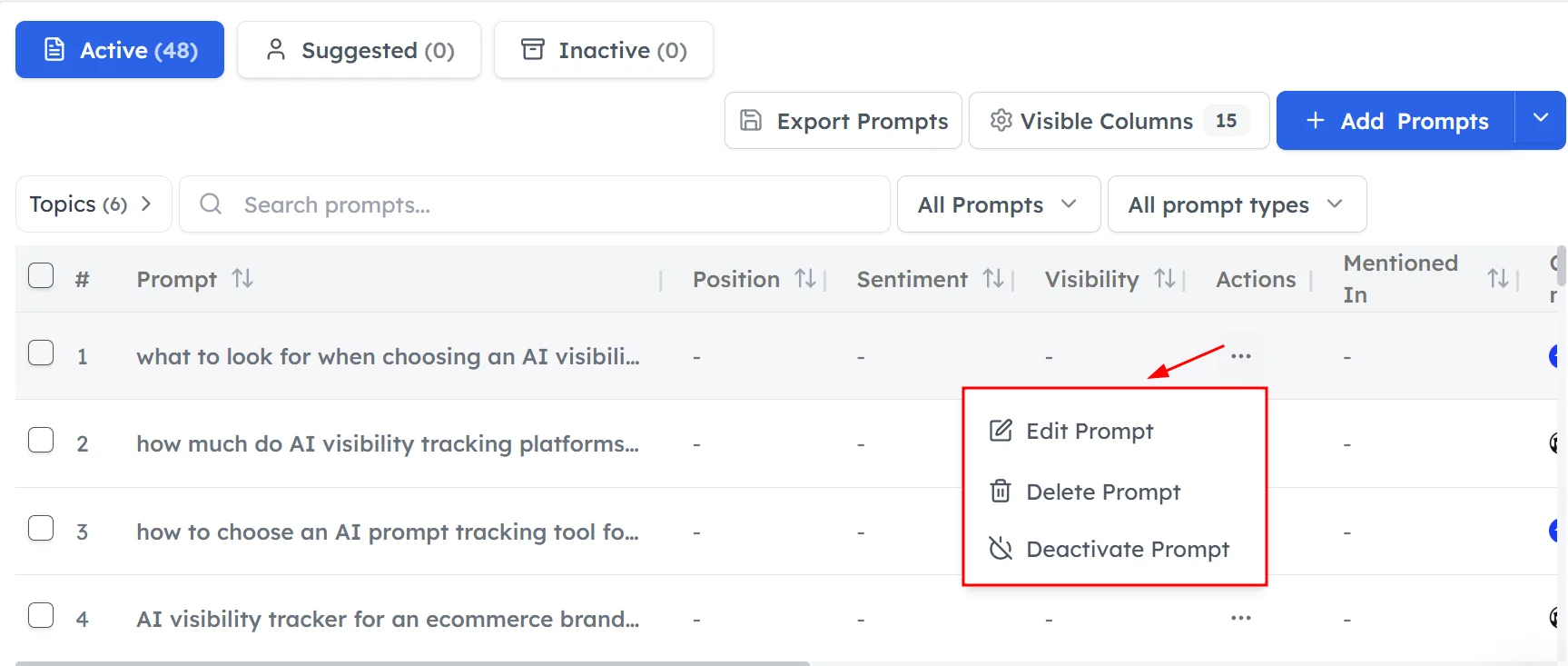
Each prompt in the table has three actions:
- Edit: change the wording, topic or country.
- Deactivate: stop the prompt from running. The prompt moves to the Deactivated list.
- Delete: remove the prompt permanently.
How to export your prompts#
Click Export Prompts to download a spreadsheet with every prompt and its position, sentiment and visibility.
How to review your prompts over time#
Review your prompt set after the first week and then every month. Look for:
- Prompts your buyers would never ask, which you can deactivate.
- Topics with very few prompts, which give unreliable results.
- New products, features or markets that need new prompts.
Frequently asked questions#
What is a prompt in AI visibility tracking?
A prompt is a question that Track My Visibility asks AI models such as ChatGPT, Perplexity, Gemini and Google AI Overviews on your behalf. The answers to your prompts are used to calculate your visibility, position, sentiment and sources.
What is the difference between a keyword and a prompt?
A keyword is a short search term, such as "project management software". A prompt is a full conversational question, such as "Which project management tools work best for a 10-person design agency?". AI search users ask full questions, so prompts reflect how people actually use AI models.
Should I track branded or non-branded prompts?
You should track both, with most of your prompts non-branded. Non-branded prompts show whether AI models recommend your brand to new buyers, and branded prompts show how AI models describe your brand when someone asks about it directly.
How many prompts should I track?
Start with 10 to 20 reviewed prompts, then grow toward 25 to 50 non-branded prompts across your main topics. The right number depends on how many products, topics and markets you cover, and on the prompt limit of your plan.
What happens when I deactivate a prompt?
A deactivated prompt stops running on AI models and moves to the Deactivated list. Deleting a prompt removes it permanently, so deactivate a prompt instead if you might want it again later.
Related articles
Last updated 3 Nov 2026
Can't find what you need?
Email support@trackmyvisibility.com with your website, what you were trying to do and what you saw. A screenshot helps.