
Understanding your performance
On this page
The Performance view in the Track My Visibility application compares every brand you track in one grid. Brands appear on one side, and AI models or topics appear on the other.
Use Performance when a competitor is ahead and you want to know exactly where. The grid shows whether a competitor leads everywhere, or only on one AI model or one topic.
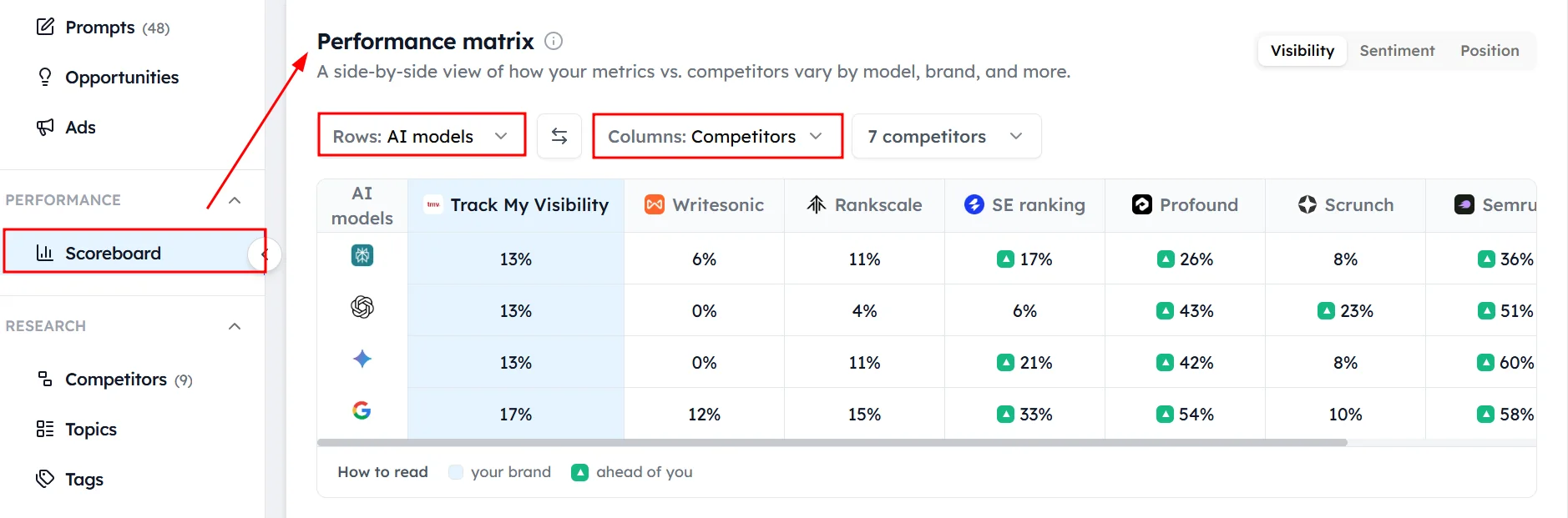
How to set up the grid#
Choose two settings:
- Metric: visibility, sentiment or position.
- View: brands by AI model, or brands by topic.
Your brand is highlighted, and cells where a competitor is clearly ahead are flagged.
How to compare by AI model#
The AI model view shows each brand's results on ChatGPT, Perplexity, Gemini and Google AI Overviews. For example, if your brand has 8% visibility on ChatGPT and a competitor has 80%, ChatGPT is using sources that favor the competitor.
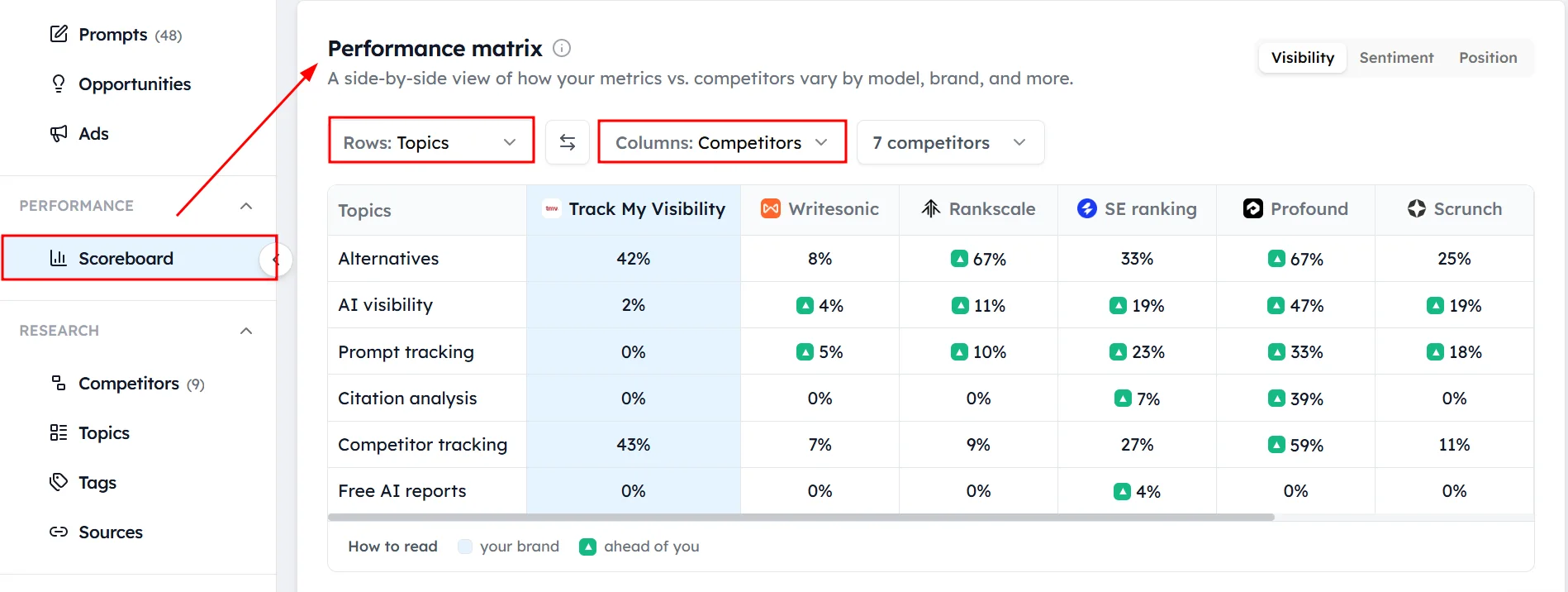
How to compare by topic#
The topic view shows each brand's results for each of your topics. A competitor might lead overall because it wins one large topic, while your brand leads in two others. This tells you where to focus.
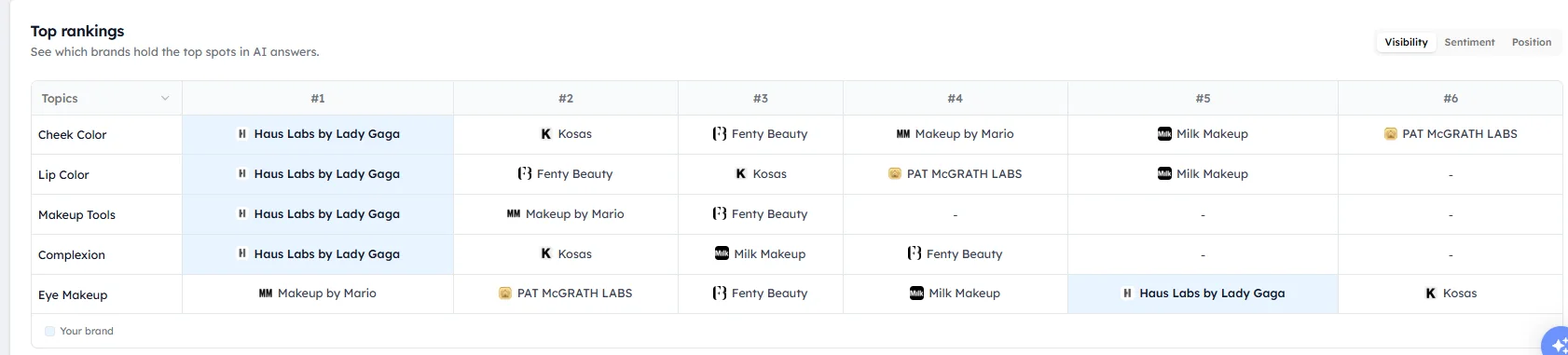
How to use Top Rankings#
Top Rankings shows which brands hold first, second, third and later places for each topic or AI model. You can rank brands by visibility, sentiment or position.
How to act on what you find#
Use the grid to decide what to work on next:
- A competitor leads on one AI model: check which sources that AI model cites, and work on appearing on them.
- A competitor leads on one topic: check Content gaps for that topic and compare your pages with the competitor's.
- Your sentiment trails on one topic: read the chats for that topic to see how AI models describe your brand.
- Your position trails everywhere: look for comparison and review content where competitors are listed above you.
Frequently asked questions#
What does the Performance page show?
The Performance page shows every tracked brand's visibility, sentiment or position in a grid, split by AI model or by topic. It shows exactly where each competitor leads and where your brand leads.
How do I compare my brand with competitors in AI search?
Open Performance, choose a metric such as visibility, and choose the AI model or topic view. Your brand is highlighted in the grid, so you can compare it with every tracked competitor on each AI model or topic.
Why does a competitor lead on one AI model but not others?
Each AI model cites different sources, so a competitor that appears on the websites one model trusts can lead on that model only. Filter Sources to that AI model to see which websites drive the gap.
What is Top Rankings?
Top Rankings shows which brands hold first, second, third and later places for each topic or AI model. You can rank by visibility, sentiment or position.
What is the difference between Performance and Competitive gap analysis?
Performance compares brands by AI model or topic with summary metrics. Competitive gap analysis lists the exact prompts where a competitor is mentioned and your brand isn't, so use it when you need specific prompts to work on.
Related articles
Last updated 3 Nov 2026
Can't find what you need?
Email support@trackmyvisibility.com with your website, what you were trying to do and what you saw. A screenshot helps.