
Understanding the dashboard
On this page
The Overview dashboard is the first page you see when you open the Track My Visibility application. It brings your most important AI visibility metrics and data points together on one page, so you can review your brand's performance without opening each report separately.
The dashboard uses every answer collected from your tracked prompts across the AI models in your account: ChatGPT, Perplexity, Gemini and Google AI Overviews. Use it to check how often AI models mention your brand, where your brand appears in their answers, which competitors appear more often and which prompts need your attention.
How to set the date range#
Every metric on the dashboard follows the date range selector at the top of the page. You can choose yesterday, this week, last week, this month or a custom range.
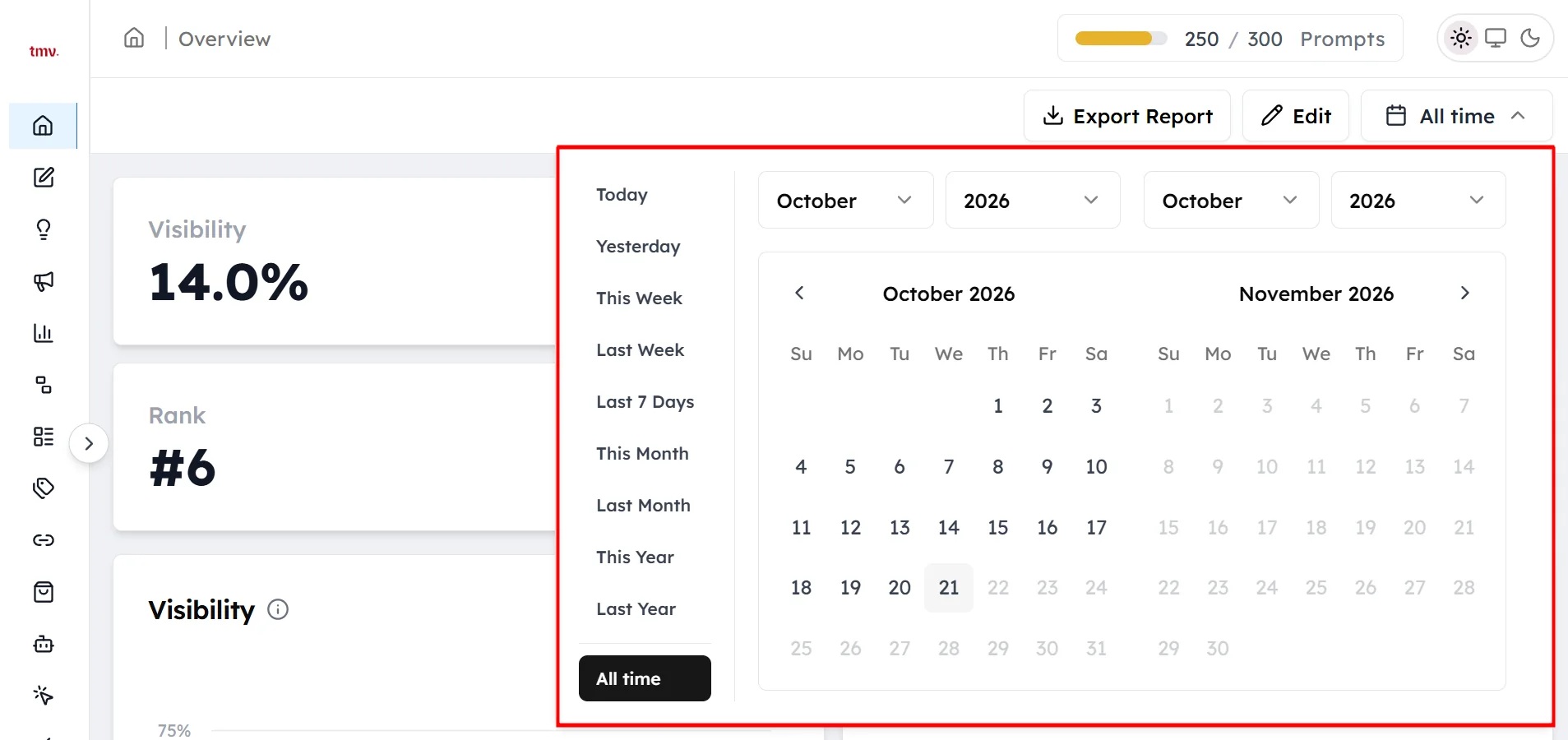
A short date range shows recent changes. A longer date range gives a steadier picture, because AI models word their answers differently from one run to the next.
How to read the headline metrics#
The four cards at the top of the dashboard summarize your brand's performance for the selected date range:
- Visibility: the percentage of AI answers to your tracked prompts that mention your brand.
- Average Position: your average place among the brands named in an answer, counted only in answers that mention you. A lower number is better, and 1 means AI models named you first.
- Rank: your place among all the brands you track.
- Net Sentiment: how positively AI models describe your brand when they mention it.
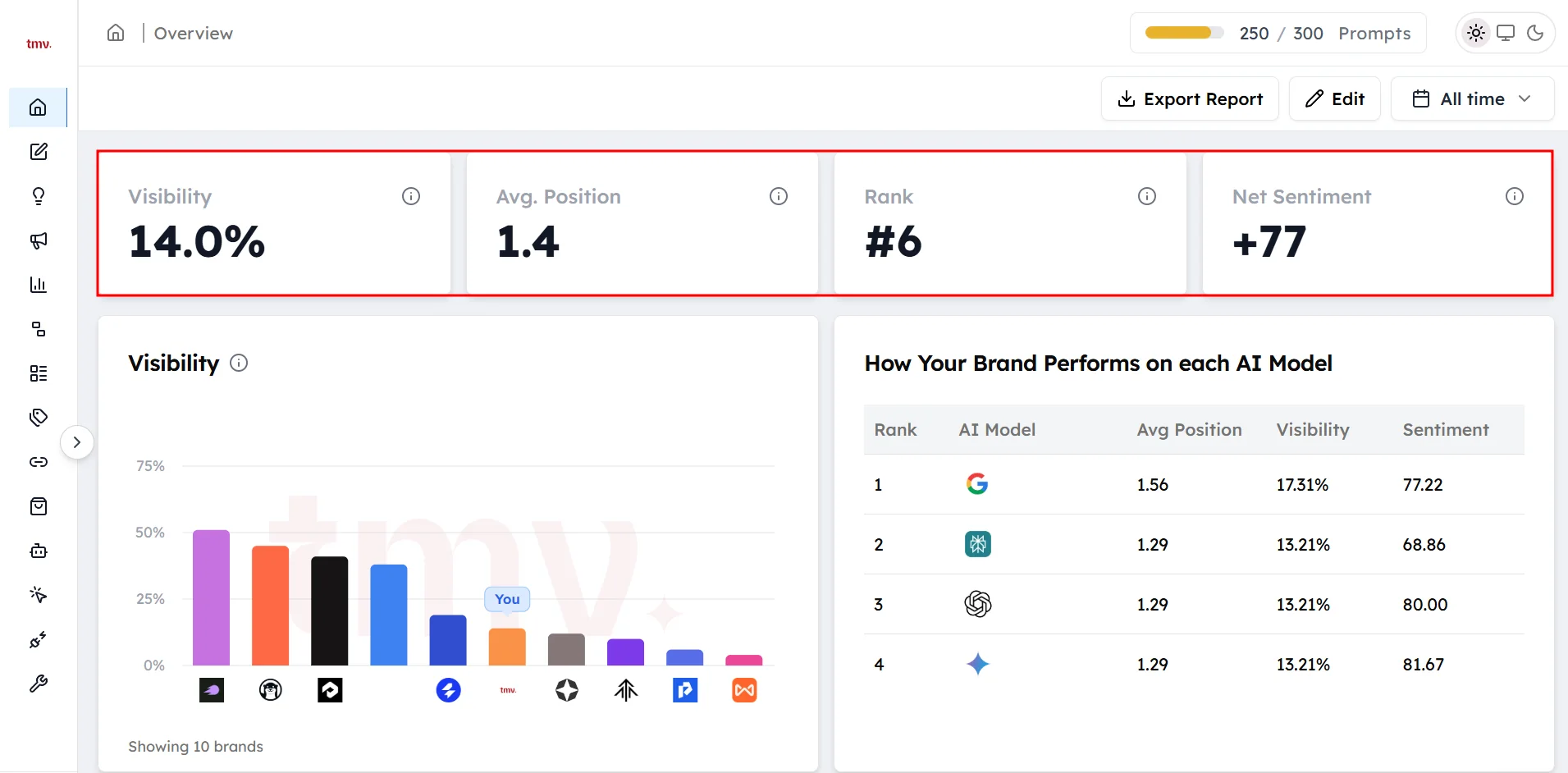
Read the four metrics together. High visibility with a weak average position means AI models know your brand but recommend other brands first. A strong average position with low visibility means AI models rarely mention you, but they name you early when they do.
How to read each dashboard card#
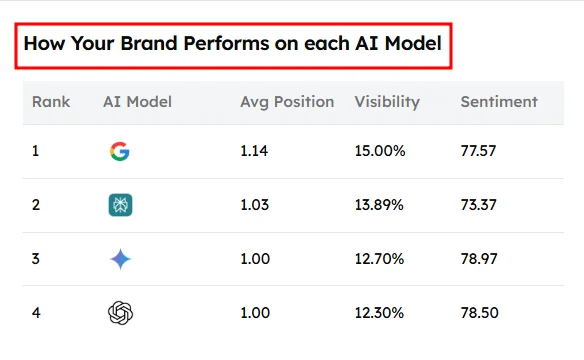
Visibility chart and AI model table#
The chart plots your visibility over the selected date range next to every brand you track. Use it to see whether the gap between your brand and a competitor is closing or growing.
The table below the chart shows your position, visibility and sentiment on each AI model. Each AI model chooses its sources and brands in its own way, so a row that stands out tells you which AI model to look into first.
AI Visibility#
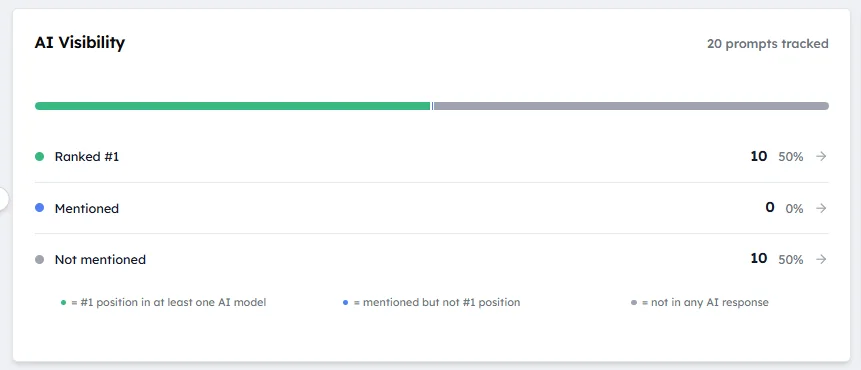
This card sorts your tracked prompts into three lists:
- Ranked First: at least one AI model named your brand first in its answer.
- Mentioned: your brand appeared in the answer, but not in first place.
- Not Mentioned: no AI model named your brand.
Open a list to see the prompts it contains. The Not Mentioned list shows the exact prompts where your brand is missing from AI answers, so start your review there.
Top Competitors#
This card lists the brands that AI models mention most often in answers to your tracked prompts. Click View All to see the full list. The list counts every brand named in the answers, so it can include brands you haven't added as competitors.
Top prompts where your brand was mentioned#
This list shows the prompts where AI models already mention your brand. Check it before you change a page that AI models cite, so you don't lose answers your brand already appears in.
Quick Wins#
Quick Wins are prompts where a small improvement could give your brand a better result. There are two kinds:
- Model gap: your brand is mentioned on one AI model but missing on others.
- Position gap: your brand is mentioned, but in second or third place.
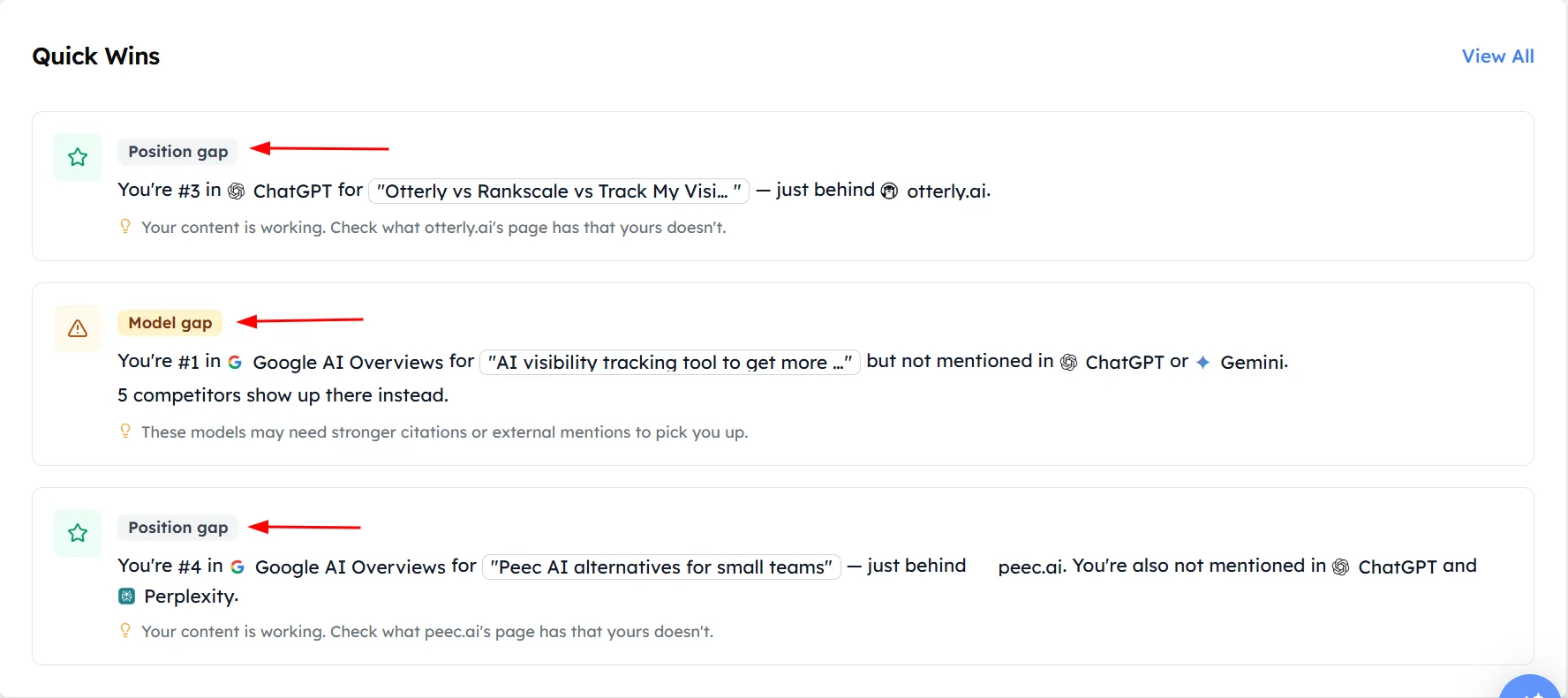
Quick wins are usually easier to improve than prompts where your brand isn't mentioned at all, because at least one AI model already connects your brand with the question.
Top Sources#
This card lists the websites AI models cite most often in answers to your prompts, with each website's share of all citations. These websites shape how AI models answer questions in your category. See Understanding sources for more.
Competitive Gap#
This card shows prompts where a competitor is mentioned and your brand isn't, grouped by competitor. See Competitive gap analysis for more.
Prompt Type Split#
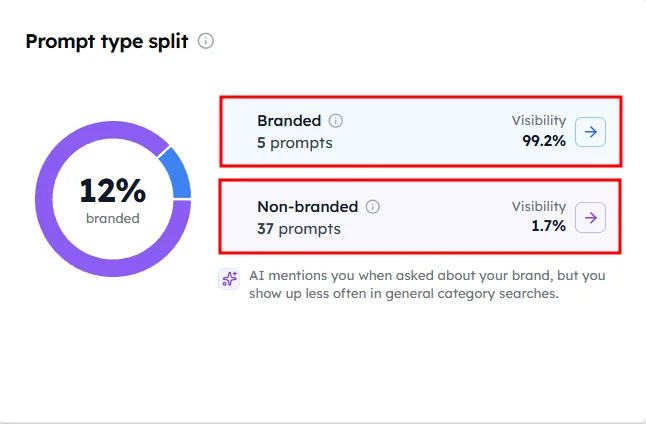
This card splits your visibility into branded prompts, which include your brand name, and non-branded prompts, which don't.
Frequently asked questions#
What does the Track My Visibility dashboard show?
The Track My Visibility Overview dashboard shows how AI models mention your brand when they answer your tracked prompts. It summarizes your visibility, average position, rank and net sentiment, and it lists your top competitors, most cited sources, quick wins and the prompts where your brand is missing.
Which AI models are included in the dashboard?
The dashboard includes answers from ChatGPT, Perplexity, Gemini and Google AI Overviews. The AI model table below the visibility chart breaks your position, visibility and sentiment down by each AI model.
How often does the dashboard update?
The dashboard updates each time your tracked prompts run on the AI models. A longer date range includes more runs, so it gives more reliable metrics than a single day.
Why did my visibility drop?
A drop in visibility usually has one of four causes, listed from most to least common:
- The date range is short, so normal variation between runs looks like a change.
- You added new prompts, and AI models don't mention your brand for them yet.
- A competitor started appearing in answers where your brand appeared before.
- An AI model started citing different sources for your prompts.
Check the date range first, then compare the AI model table, the Not Mentioned list and Top Sources with the previous period.
What is a good AI visibility score?
There is no single good AI visibility score, because visibility depends on your category, your competitors and the prompts you track. A more useful measure is how your visibility compares with the brands you track, which the Rank card shows. Watch your non-branded visibility in particular, because it shows whether AI models recommend your brand to new buyers.
What is the difference between visibility and share of voice?
Visibility is the percentage of AI answers that mention your brand. Share of voice compares your brand's mentions with the mentions of every other brand in those answers. Your visibility can rise while your share of voice stays flat if your competitors gain mentions at the same rate.
Related articles
Last updated 3 Nov 2026
Can't find what you need?
Email support@trackmyvisibility.com with your website, what you were trying to do and what you saw. A screenshot helps.