
Reading crawl insights
On this page
Tracking Insights in the Track My Visibility application shows which bots actually visit your website, how often they visit and which pages they read. The data comes from your server or CDN logs, so it shows real crawler activity rather than what your rules allow.
Technical fixes shows what your robots.txt allows. Tracking Insights shows what really happens. Together, they tell you whether AI crawlers can reach your pages and whether they do.
How to read the summary cards#
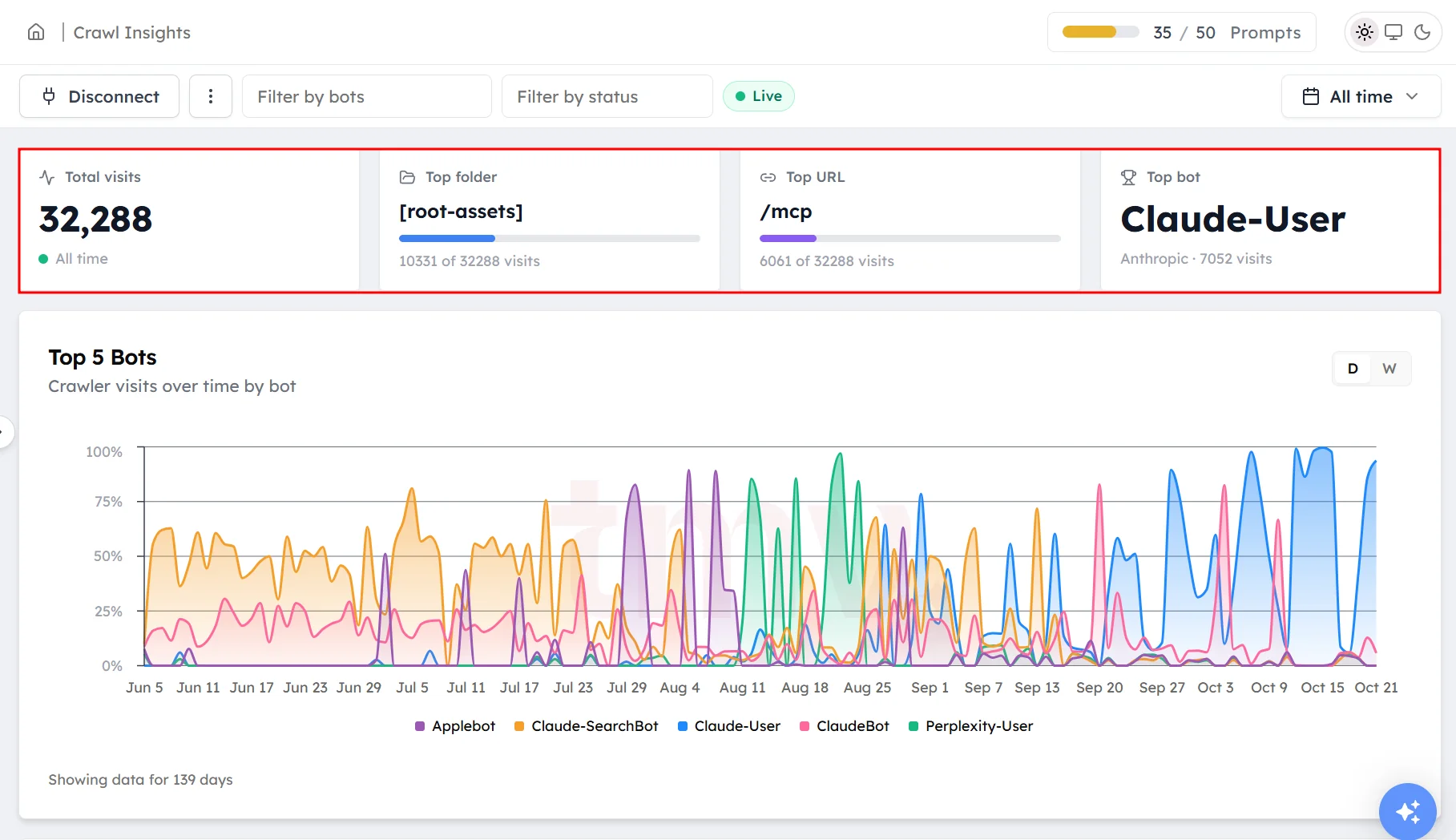
Click Tracking Insights under Monitoring in the left sidebar. The cards at the top show:
- Total visits: all crawler visits in the selected date range.
- Top folder: the section of your site bots visit most.
- Top URL: the page bots visit most.
- Top bot: the crawler that visits most.
How to read Top 5 Bots#
The Top 5 Bots chart shows visits over time for your five most active crawlers. Use it to spot a bot that suddenly visits more or stops visiting.
How to read the crawl and content breakdowns#
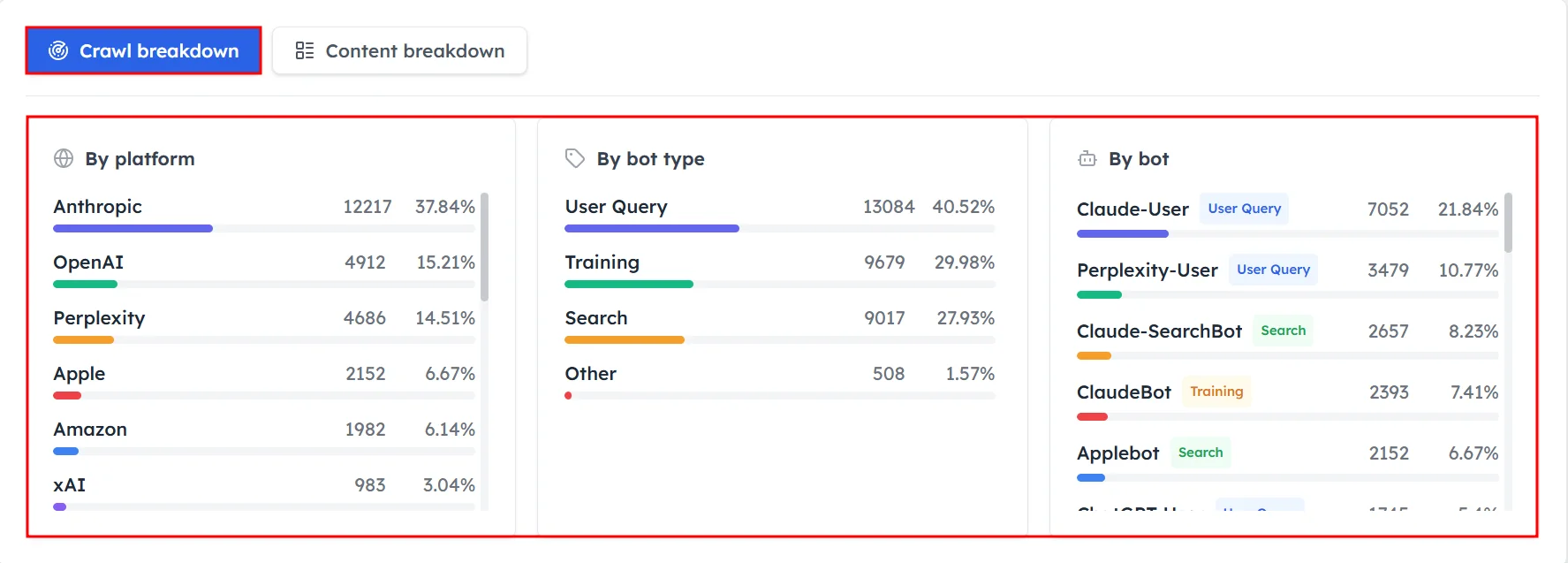
Crawl breakdown shows who is visiting:
- By platform: the company, such as OpenAI, Anthropic or Perplexity.
- By bot type: what the bot is for.
- By bot: each individual crawler.
The bot types are:
- Search: fetches pages so AI search tools can find and cite them.
- User Query: fetches pages live when someone asks a question.
- Training: collects content to train future AI models.
- Other: everything else.
Content breakdown shows what is being crawled, by folder and by URL.
How to read crawled URLs#
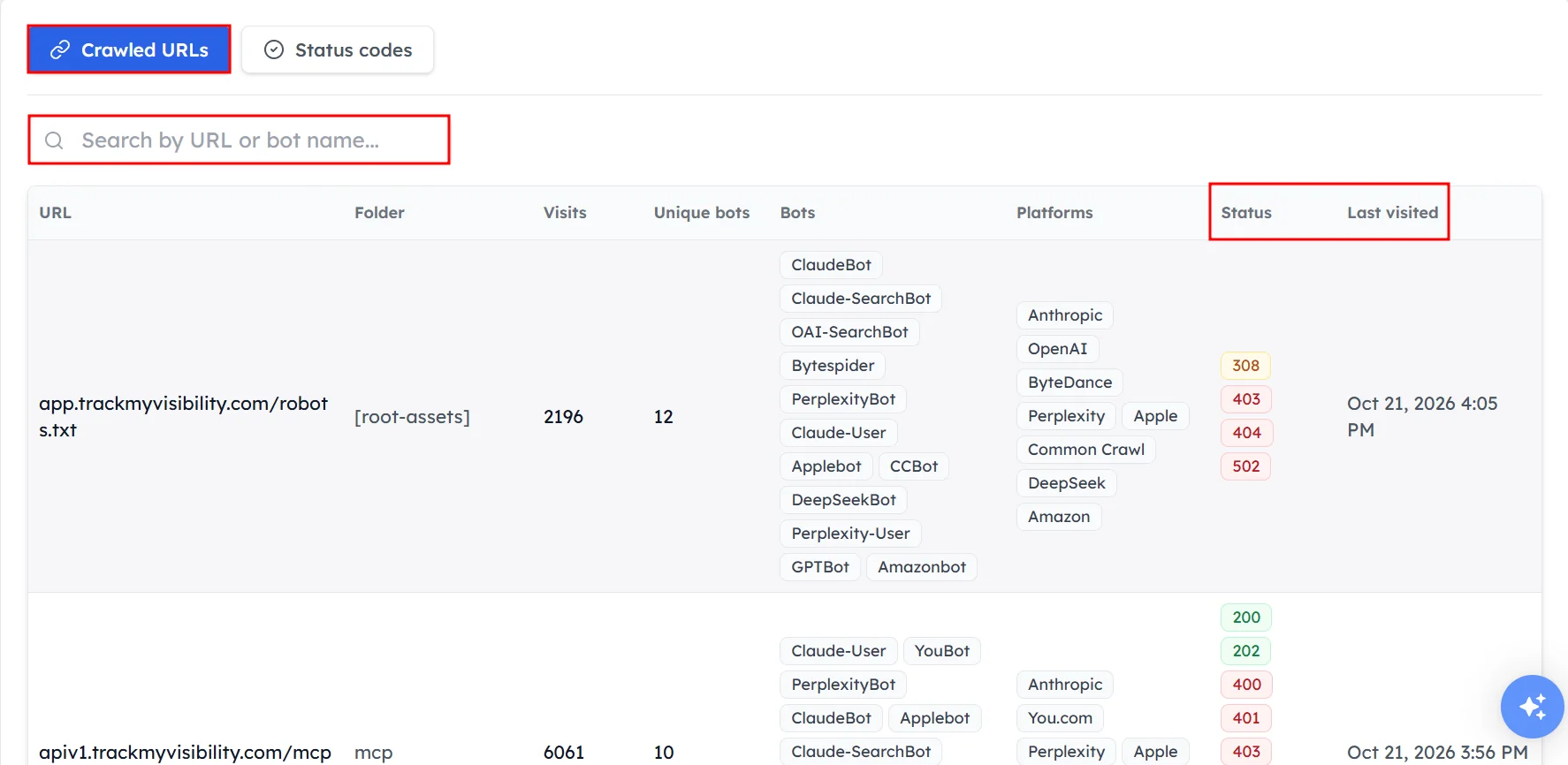
The crawled URLs table lists every page bots requested. For each page, you'll see its visit count, the bots and platforms that visited, the response status and the last visit time. Search by URL or bot name to find a page or crawler.
How to read status codes#
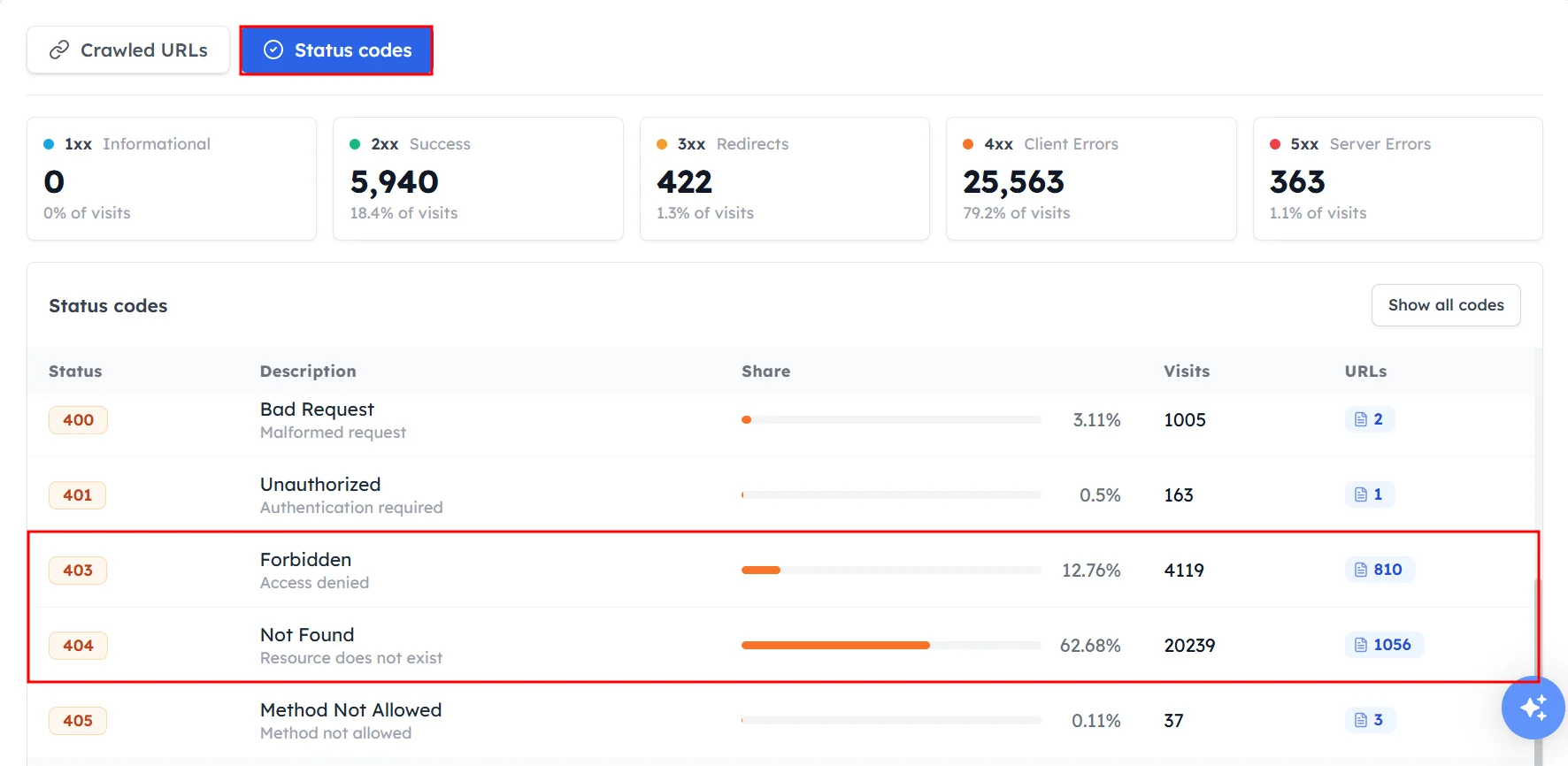
The status codes section shows how your server responded to bots. Codes are grouped into Success, Redirects, Client Errors and Server Errors. For each code, you'll see a description, its share, visits and the number of pages. Click the page count to see which pages returned that code.
Frequently asked questions#
How do I know if ChatGPT crawls my website?
Open Tracking Insights and check the Crawl breakdown by platform for OpenAI, or search the crawled URLs table for OpenAI bots. If OpenAI bots appear, ChatGPT's crawlers are visiting your pages.
What is the difference between search, user-query and training bots?
Search bots fetch pages so AI search tools can find and cite them. User-query bots fetch a page live when someone asks a question. Training bots collect content to train future AI models. Search and user-query bots matter most for AI visibility.
Why is robots.txt my top URL?
Robots.txt is often the top URL because many bots check it on every visit to see which pages they're allowed to crawl. This is normal behavior.
What does a 403 status code mean for AI crawlers?
A 403 status code means your server refused the bot's request, usually because a firewall, CDN bot setting or security plugin blocked it. A high share of 403 responses means AI crawlers may not be able to read your pages. See What to do with crawl data.
Why did a bot stop visiting my site?
A bot usually stops visiting after a change on your side, such as a new robots.txt rule, a firewall or CDN setting, or a hosting change. Check what changed around the date the visits dropped.
Related articles
Last updated 3 Nov 2026
Can't find what you need?
Email support@trackmyvisibility.com with your website, what you were trying to do and what you saw. A screenshot helps.