
Working with topics
On this page
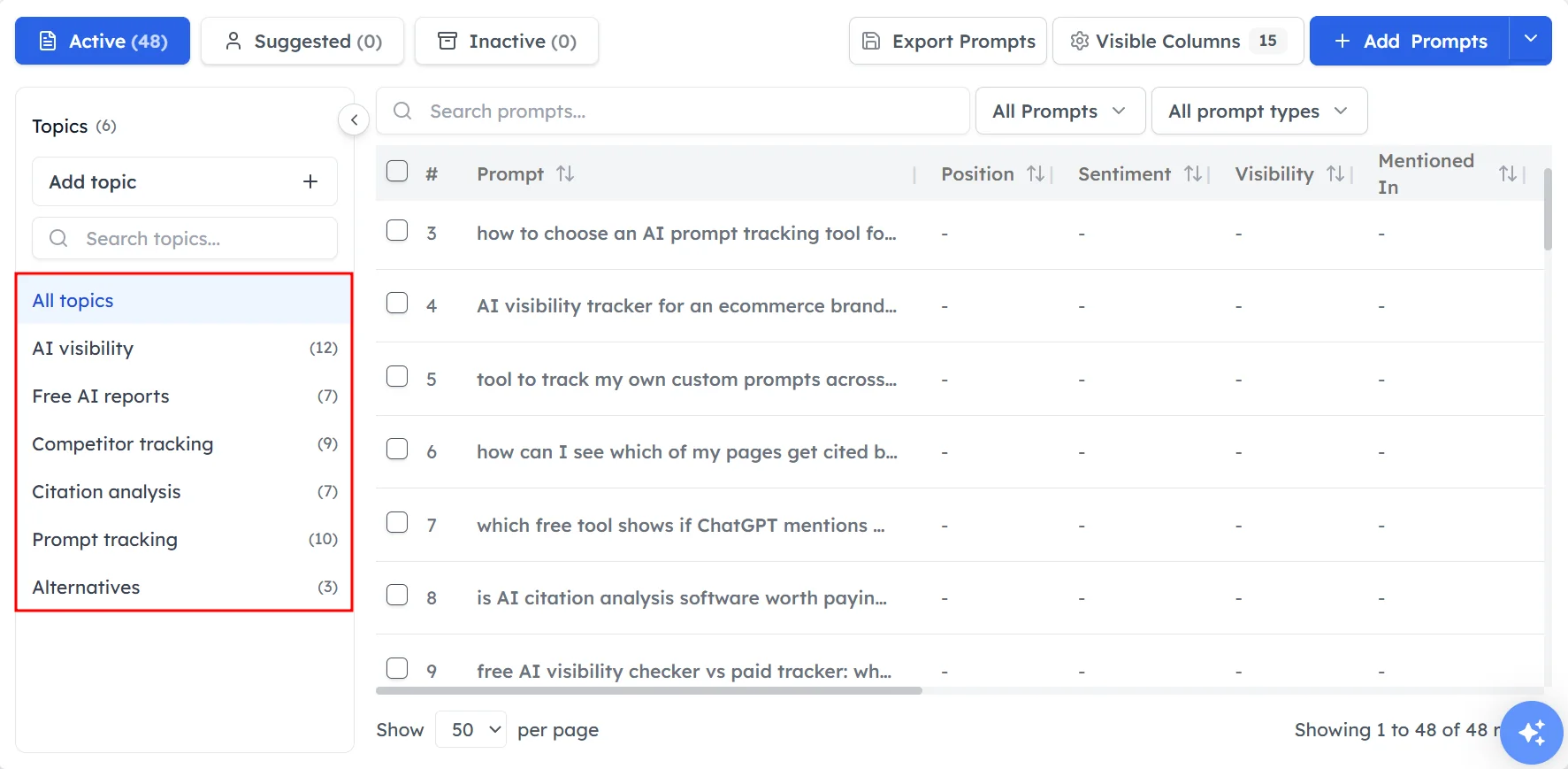
Topics group your prompts by theme in the Track My Visibility application. A topic usually matches a product category, service or use case. For example, a skincare brand might have topics for serums, sunscreen and cleansers.
Topics show you which parts of your business AI models recommend you for, and which parts they don't. A brand can lead AI answers for one product category and be missing from another, and topics make that difference visible.
How topics are created#
When you add your website, Track My Visibility suggests a set of topics based on your site, and each suggested topic comes with a short description. You can keep the suggestions, rename them or add your own.
Each prompt belongs to one topic.
How to add a topic#
Step 1. Open Topics#
Click Topics under Research in the left sidebar.
Step 2. Create the topic#
Click Add topic, enter a clear name and save it. You can also create a topic from the Add prompt window when you add a new prompt.
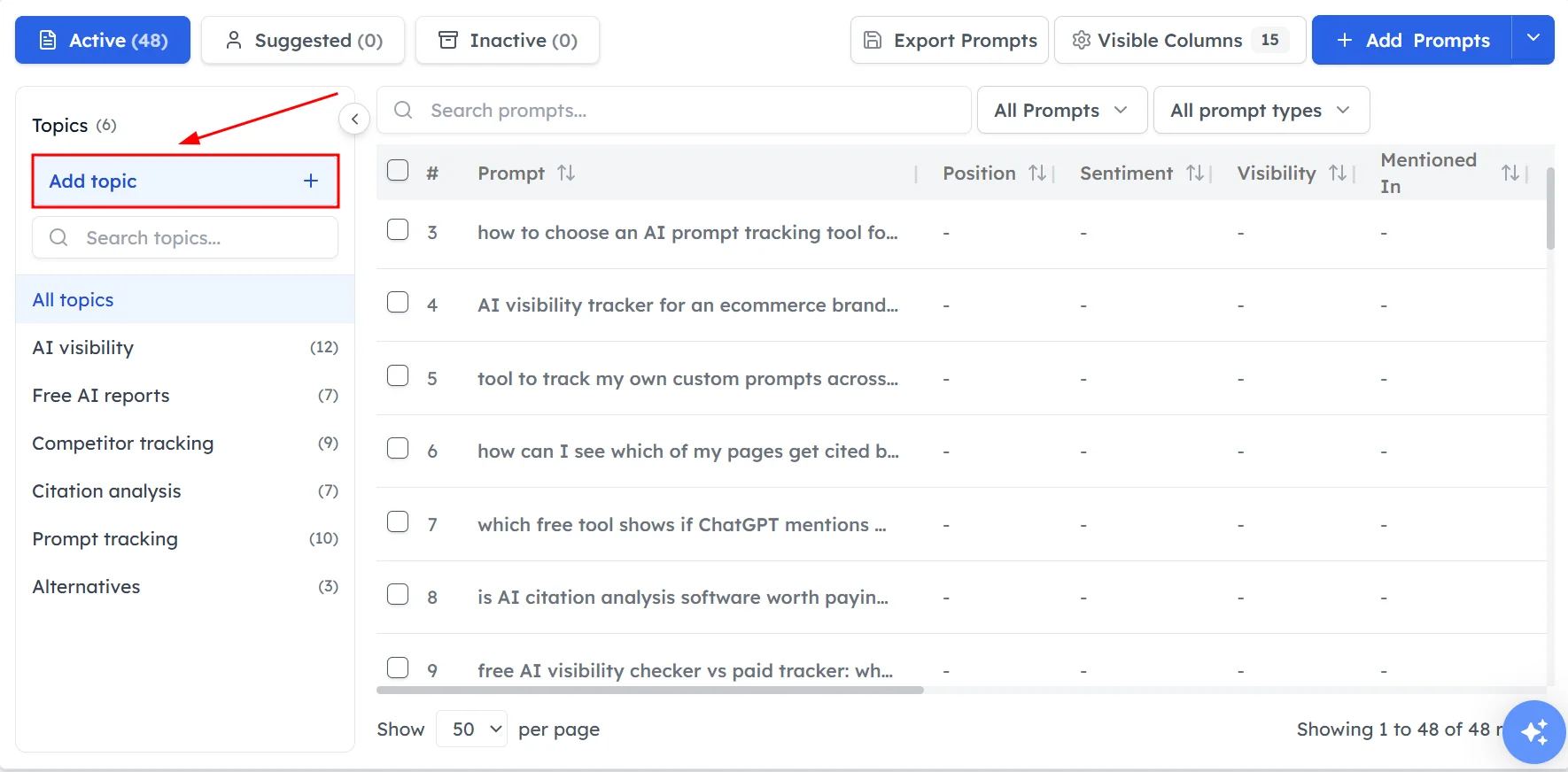
Step 3. Add prompts to it#
Add new prompts to the topic, or edit existing prompts to move them into it.
How to choose good topics#
Good topics make your results easier to read and act on. Follow these guidelines:
- Match topics to the way you group your product or service pages, so each topic points to pages you can improve.
- Keep topic names short and specific, such as "Sunscreen" rather than "Products".
- Avoid topics that overlap, because overlapping topics split the same kind of prompt across two groups.
- Create a topic only for themes you want your brand to be recommended for.
How many topics to use#
Most brands need three to eight topics. Aim for at least four or five prompts in each topic, because a topic with fewer prompts can show large swings between runs.
If you have many product lines, start with your most important categories and add more topics later. A smaller number of well-filled topics gives you more reliable data than many topics with one or two prompts each.
Where topics show up#
You can filter by topic in the Prompts table, Sources and Performance. The Scoreboard also shows your strongest and weakest topics.
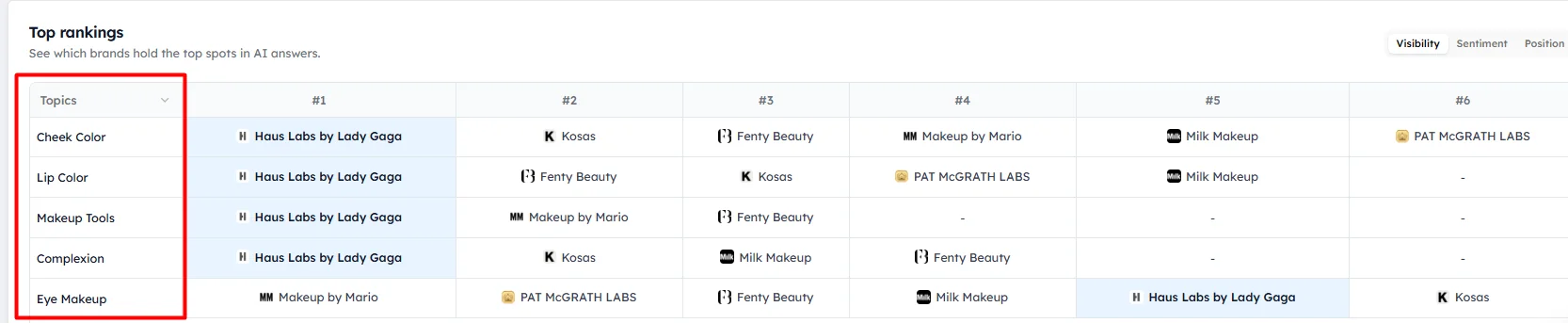
Use topic filters to answer questions such as:
- Which topic has the lowest visibility for my brand?
- Which competitor leads each topic?
- Which websites do AI models cite for one topic?
Frequently asked questions#
What are topics in Track My Visibility?
Topics in Track My Visibility are themes that group your tracked prompts, such as product categories or services. They let you compare your AI visibility, position and sentiment for each part of your business.
What is the difference between topics and tags?
A topic says what a prompt is about, and each prompt has one topic. Tags are extra labels, such as funnel stage, campaign or market, and a prompt can have many tags. Use topics for your main themes and tags for any other grouping.
How many prompts should each topic have?
Each topic should have at least four or five prompts. Topics with fewer prompts can show large changes between runs, because a single answer has a big effect on the result.
Why is my visibility low in one topic?
Low visibility in one topic usually means AI models connect your brand with other categories but not with this one. Check Sources for that topic to see which websites AI models cite, and Content gaps to find the pages you need to create or improve.
Can I change topics after setup?
Yes. You can add topics on the Topics page at any time and move prompts between topics by editing them. Changing a prompt's topic changes how its results are grouped in reports.
Related articles
Last updated 3 Nov 2026
Can't find what you need?
Email support@trackmyvisibility.com with your website, what you were trying to do and what you saw. A screenshot helps.