
Understanding chats
On this page
A chat is the full answer one AI model gave to one of your prompts on one run. Every metric in the Track My Visibility application, including visibility, position and sentiment, is calculated from these chats.
Reading chats is the fastest way to understand a metric that doesn't make sense. A chat shows exactly what the AI model said about your brand, which competitors it recommended and which sources it used.
How to open a chat#
Step 1. Open a prompt#
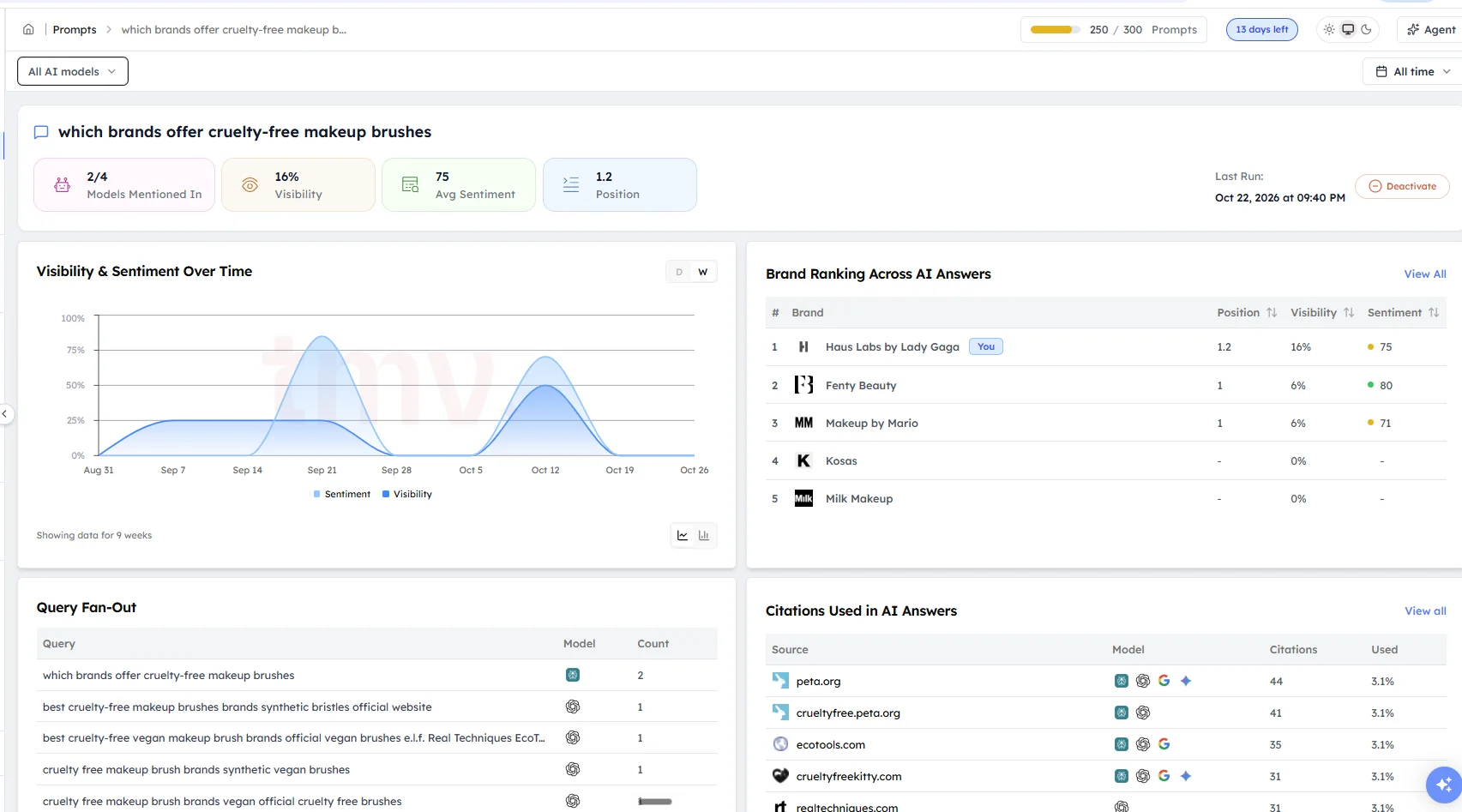
Click Prompts in the left sidebar, then click the prompt you want to look into.
Step 2. Choose a run and an AI model#
Chats are grouped by the date the prompt ran. Choose a date, then choose ChatGPT, Perplexity, Gemini or Google AI Overviews.
Step 3. Read the answer#
The chat opens with the full answer and its details.
What a chat shows#
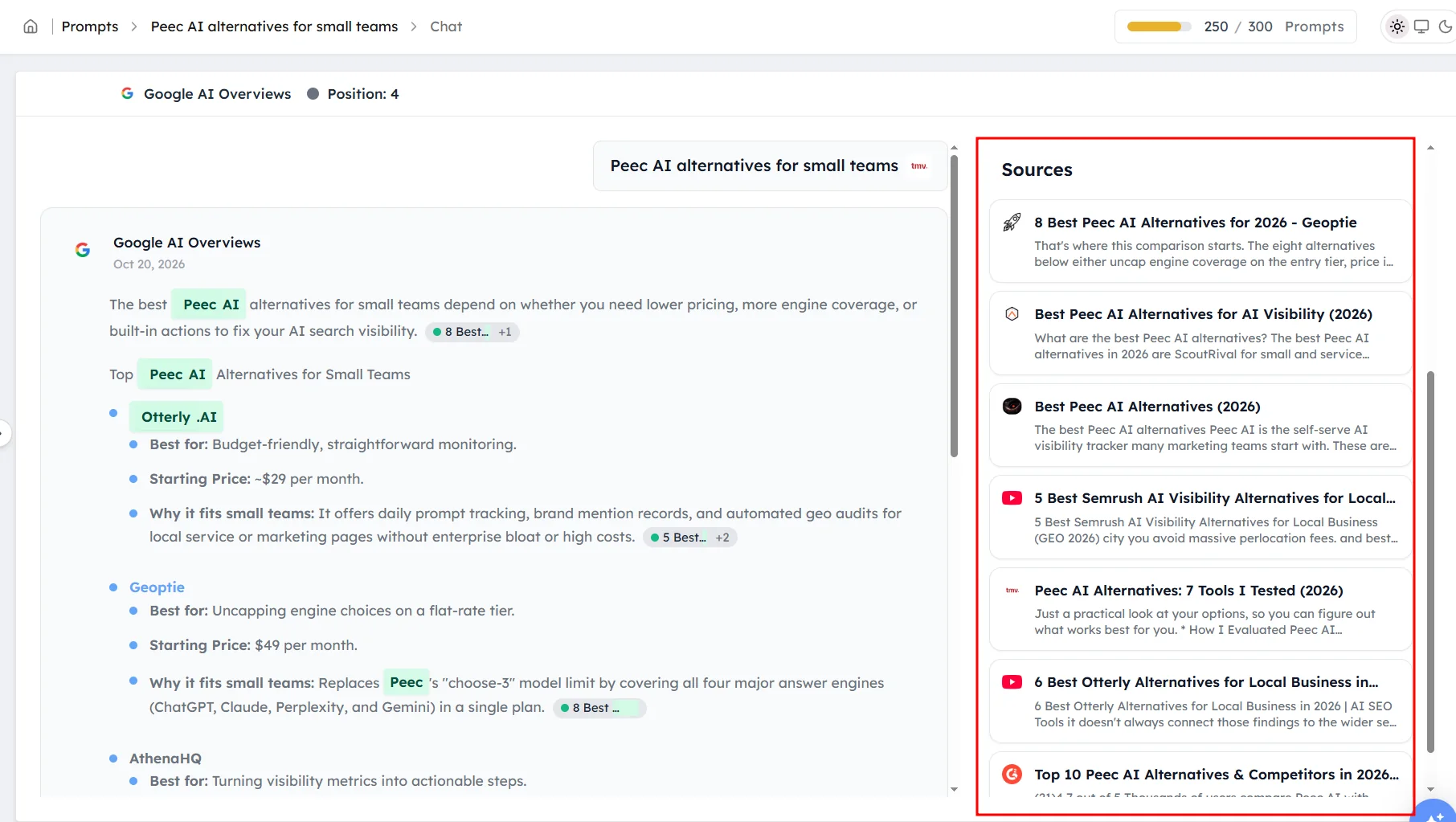
Each chat shows:
- The full answer, as the AI model wrote it.
- Your brand's position, such as #1, or a dash if you weren't mentioned.
- The sources the AI model cited.
- The competitors mentioned in the answer.
- Whether the answer showed ads or a map.
What to look for in a chat#
- How your brand is described: look for old prices, missing features or complaints. These lower your sentiment.
- Which sources were cited: if a competitor is recommended and the answer cites a roundup article, that article is probably the reason.
- Where your brand appears: a brand named in the first paragraph gets more attention than one listed at the end.
- How AI models differ: compare the same prompt across AI models, because each model uses different sources.
When to read chats#
Chats are most useful in these situations:
- Your visibility or sentiment changed suddenly, and you want to see what the AI models said.
- A competitor appears on a prompt where you expected your brand.
- Your brand is mentioned, but its position is low.
- You published new content and want to check whether AI models now describe your brand differently.
Frequently asked questions#
What is a chat in Track My Visibility?
A chat is the full answer that one AI model gave to one of your prompts on one run. Track My Visibility stores every chat, so you can read exactly what ChatGPT, Perplexity, Gemini or Google AI Overviews said about your brand.
Why do AI models give different answers to the same prompt?
AI models generate each answer fresh and search for sources each time, so the same prompt can return different wording, brands and sources on different runs. This is normal behavior, which is why Track My Visibility reports trends across many runs.
How do I see which sources an AI model used?
Open a chat and look at the sources list. It shows the web pages the AI model cited in that answer. To see sources across all your prompts, go to Sources.
Why does a chat show my brand but my visibility is low?
Visibility is calculated across all answers in the selected date range, not from one chat. Your brand can appear in some chats and be missing from others, so check chats from several runs and AI models.
Can I see what an AI model said about my competitors?
Yes. Each chat shows the full answer, including every competitor the AI model mentioned and how it described them. Compare these descriptions with yours to see why a competitor is recommended.
Related articles
Last updated 3 Nov 2026
Can't find what you need?
Email support@trackmyvisibility.com with your website, what you were trying to do and what you saw. A screenshot helps.