
Understanding sources
On this page
- How to read Source Usage
- How to read Source Types
- How to use the Prompt View
- Step 1. Expand a prompt
- Step 2. Open a domain
- How to use the Domain View
- How to use the URL View
- How to find gaps with Gap Analysis
- Step 1. Turn on Gap Analysis
- Step 2. Set the minimum number of competitors
- Step 3. Act on the results
- Frequently asked questions
Sources in the Track My Visibility application shows which websites and pages AI models cite when they answer your tracked prompts. You can see how often each source is cited, who owns it and how its use changes over time.
The brands AI models recommend are usually the brands that appear on these pages. Sources helps you see why a competitor is recommended instead of you, and which websites to work on to change that.
How to read Source Usage#
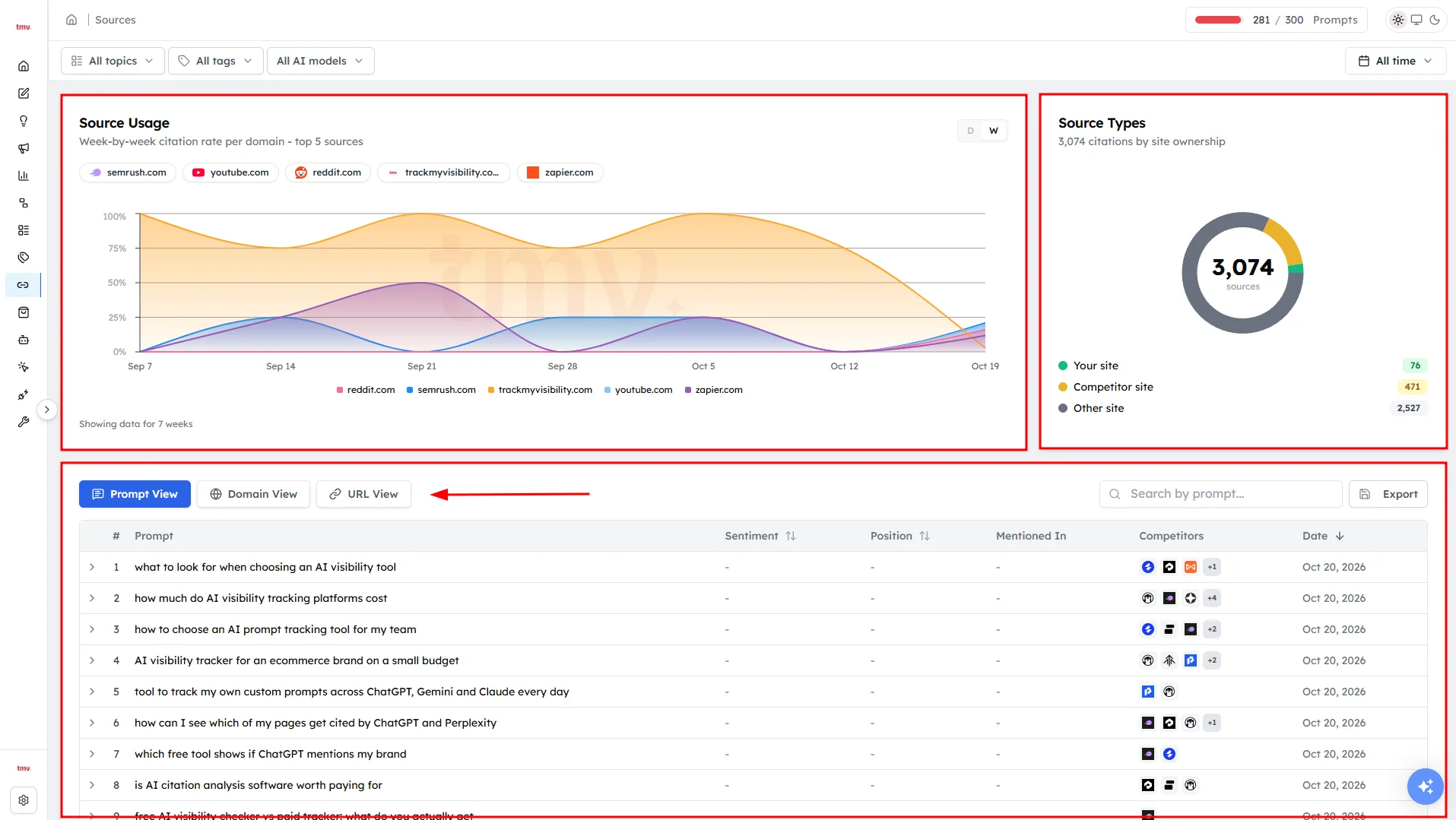
Click Sources under Research in the left sidebar. The Source Usage chart at the top left shows the five most-cited sources over time. The chart plots citation rate, which is the share of AI answers in each period that cited the source.
What the chart shows depends on your view and filters:
- Prompt View or Domain View: the top five domains.
- URL View: the top five pages.
- Your Sites, Competitor Sites or Other Sites: the top five sources of that type.
- Bookmarked: your top five bookmarked domains or pages.
- Gap Analysis: the top five sources that match your gap filter.
How to read Source Types#
The Source Types chart at the top right shows who owns the cited websites:
- Your site: citations of your own domain.
- Competitor site: citations of competitor domains you've added.
- Other site: everything else, such as review sites, forums and publications.
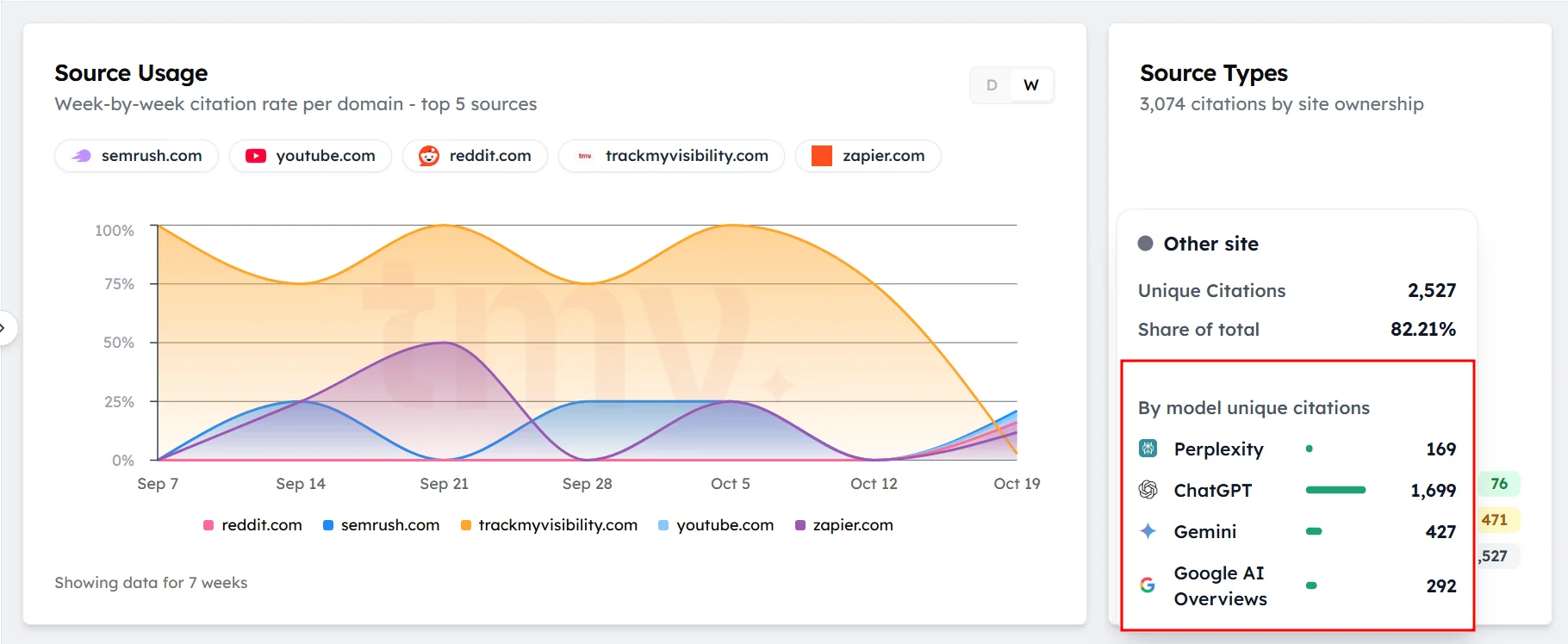
The number in the middle is the total number of citations. Hover over a segment to see its unique citations, its share and a split by AI model.
How to use the Prompt View#
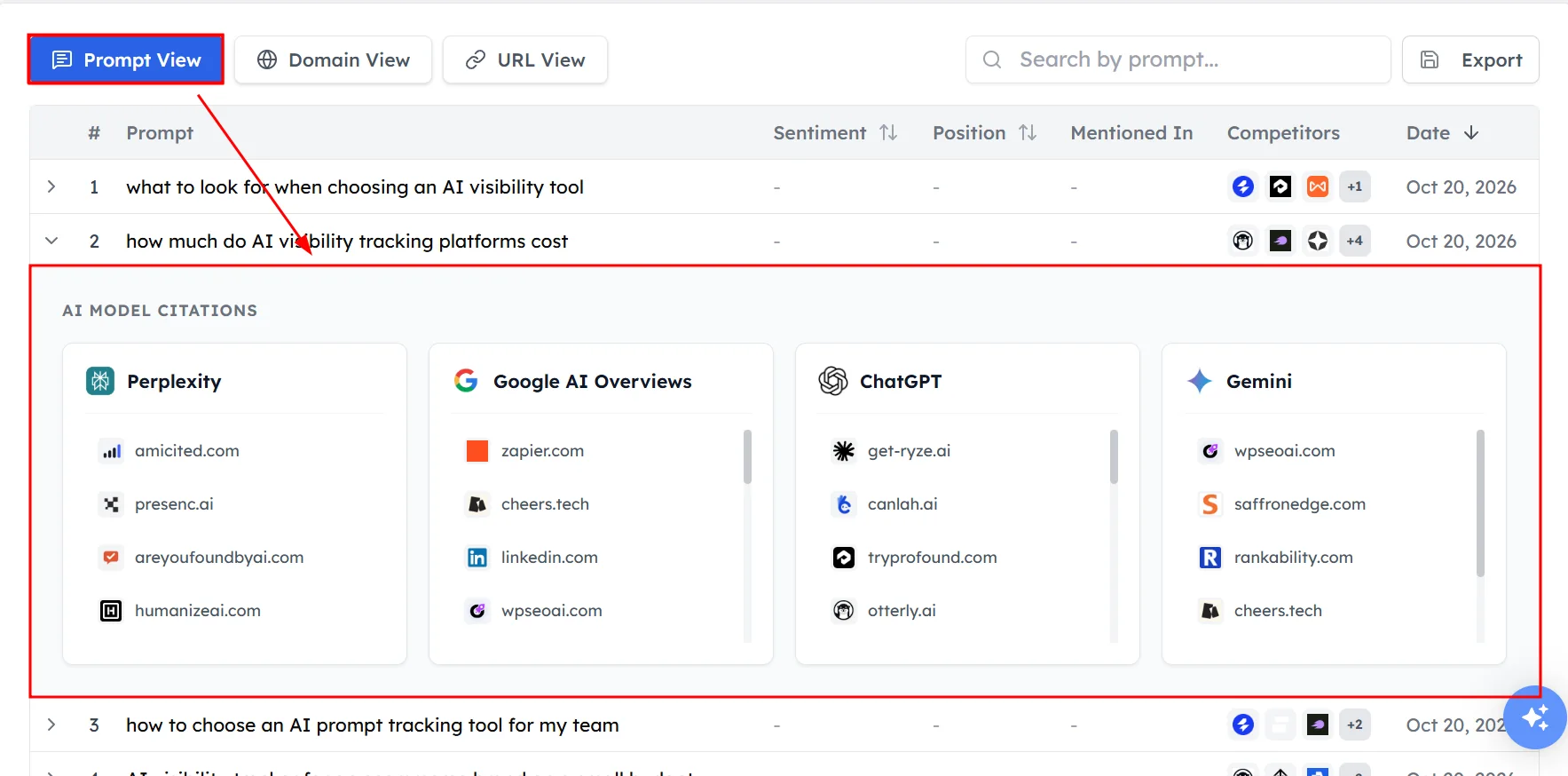
The Prompt View lists your tracked prompts and how your brand performs on each. For each prompt, you'll see:
- Prompt: the tracked question.
- Sentiment: how positively AI models describe your brand. Higher is better.
- Position: your average place in AI answers. Lower is better.
- Mentioned In: the AI models that mentioned your brand.
- Competitors: other brands that appeared.
- Date: when the prompt was added.
Step 1. Expand a prompt#
Click a prompt to see each AI model's answer, your position in that answer and the domains it cited. Your own site shows a You badge.
Step 2. Open a domain#
Click a domain to see the exact pages cited from it and how many times each page was cited.
How to use the Domain View#
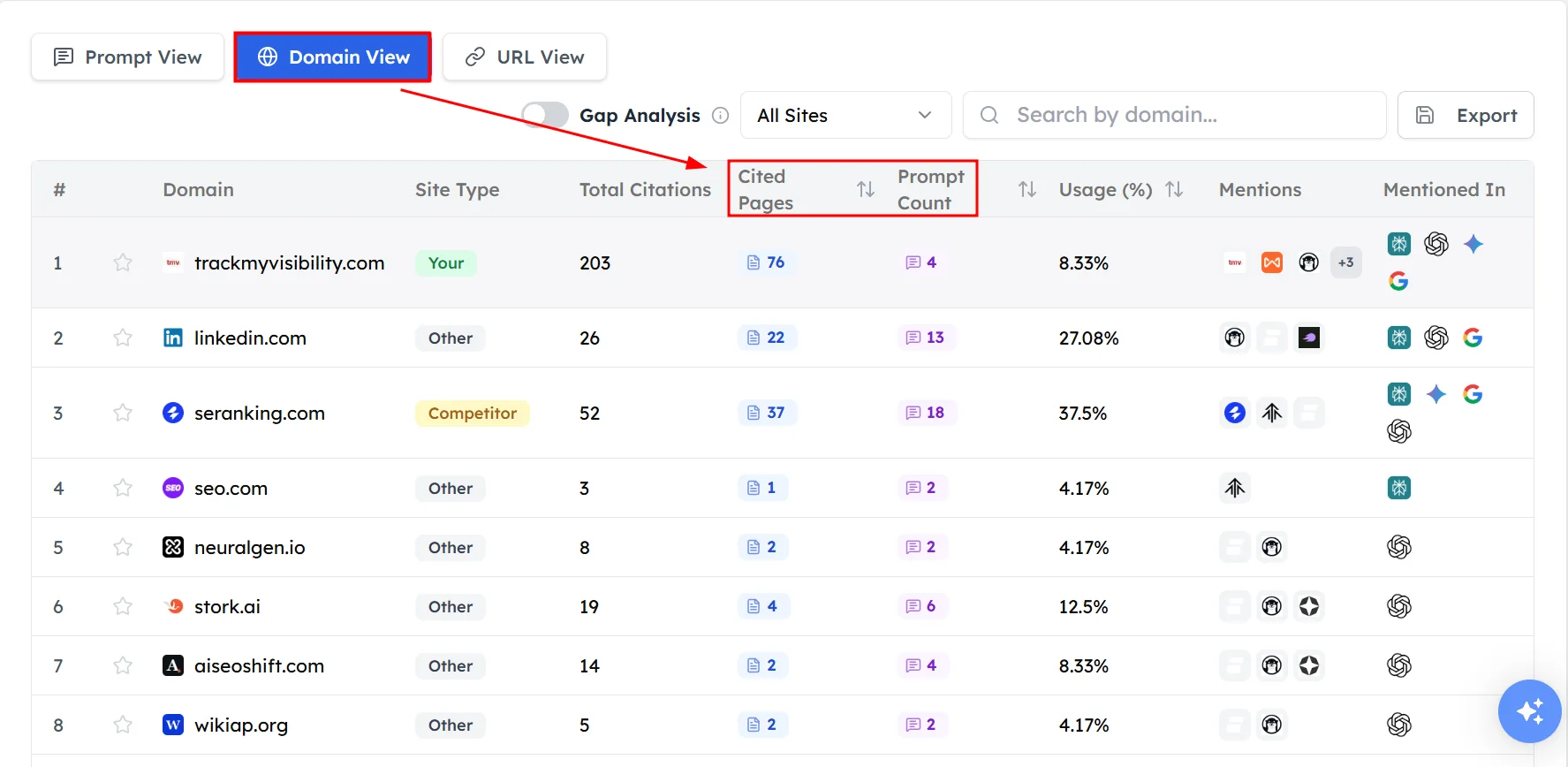
The Domain View lists the websites AI models cite most. For each website, you'll see its site type, how many of its pages were cited, its usage and which AI models cited it.
- Click Cited pages to see the exact pages cited from that website.
- Click Prompt count to see the prompts that led to those citations.
How to use the URL View#
The URL View lists the exact pages AI models cite most. For each page, you'll see its site type, how many answers cited it, its usage, whether your brand was mentioned and which AI models cited it. Click No. of Answers to see the prompts where that page was cited.
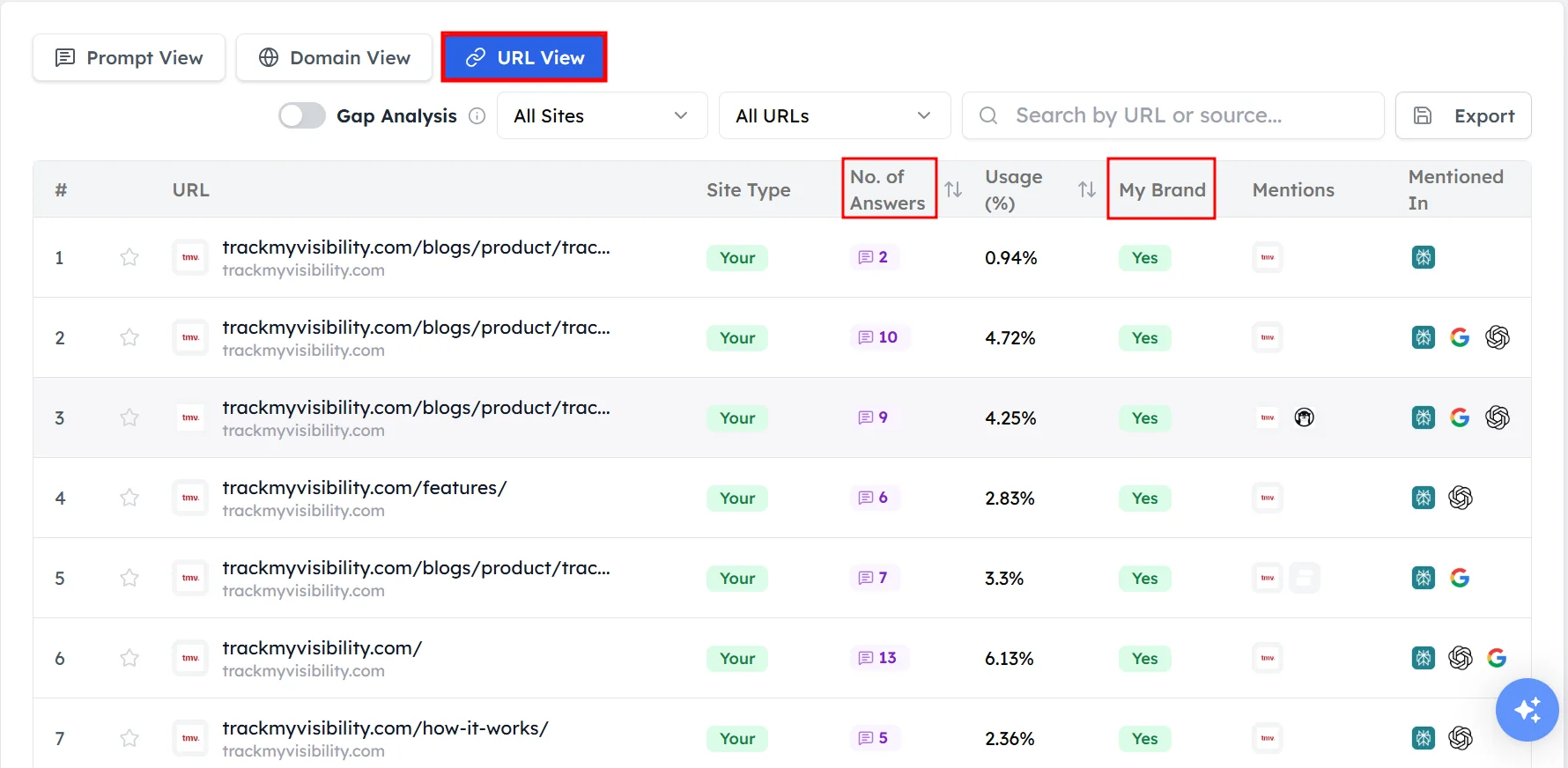
Use the filters above the table to show All Sites, Your Sites, Competitor Sites, Other Sites or your Bookmarked list. Click the star next to any domain or page to bookmark it.
How to find gaps with Gap Analysis#
Gap Analysis shows sources where several competitors are cited together, but your brand isn't.
Step 1. Turn on Gap Analysis#
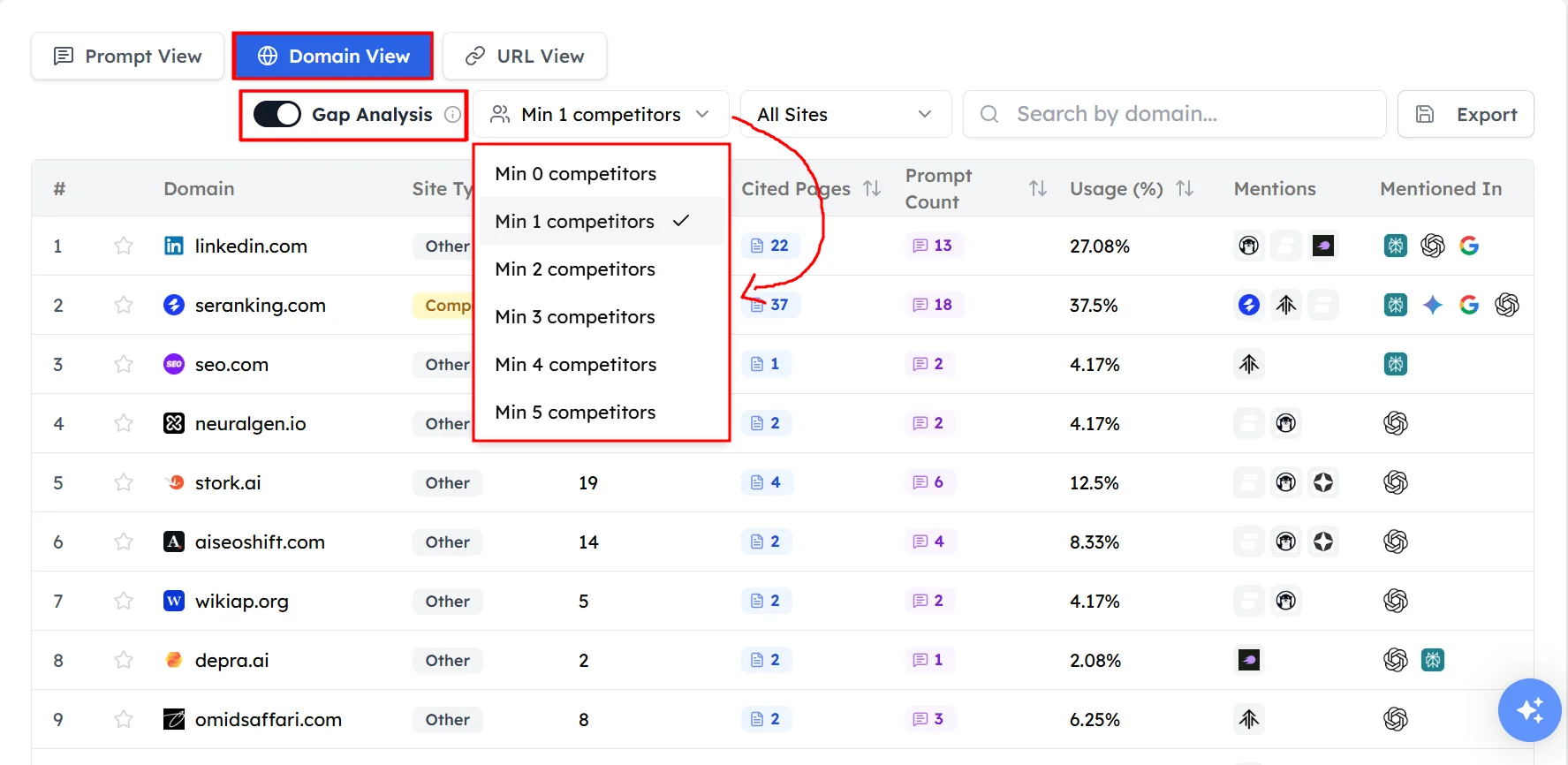
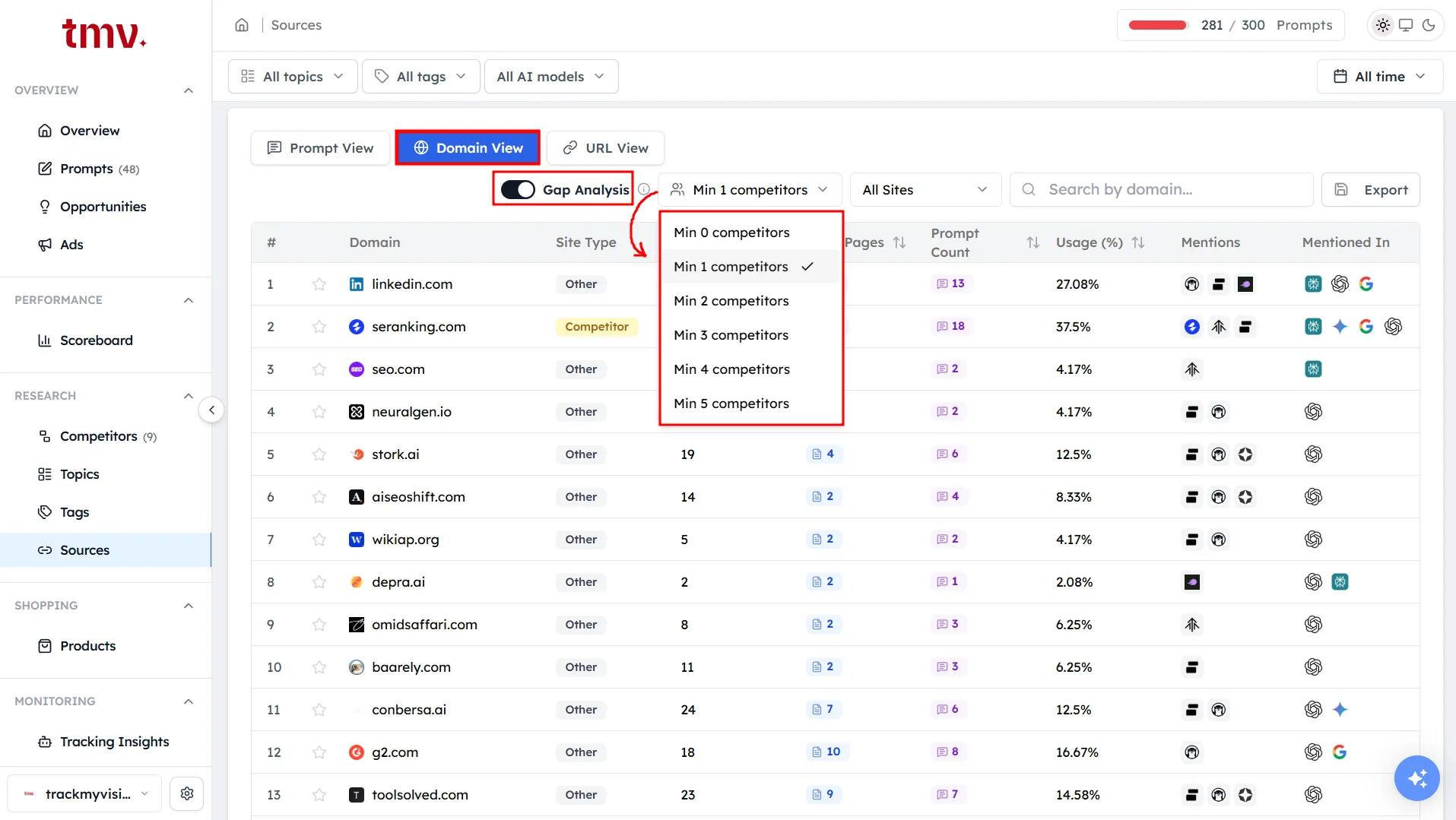
Switch on Gap Analysis above the Domain View or URL View.
Step 2. Set the minimum number of competitors#
Choose a minimum, such as Min 3 competitors. Only sources that cite at least that many of your competitors will show.
Step 3. Act on the results#
Review each page. Then create a competing page, or contact the website owner to get your brand mentioned.
Frequently asked questions#
What are sources in AI search?
Sources are the web pages AI models cite when they write an answer. AI search engines such as Perplexity, Google AI Overviews and ChatGPT with search show these pages as links or references, and Track My Visibility collects them for every tracked prompt.
Which websites does ChatGPT cite for my category?
Open Sources and filter by ChatGPT to see the domains and pages ChatGPT cites for your tracked prompts. The Domain View ranks websites by how often they are cited, and the URL View shows the exact pages.
Why does my own website get so few citations?
Most citations go to third-party websites, such as reviews, publications and forums, because AI models prefer independent sources when they recommend brands. Your own site can earn more citations with pages that answer your prompts directly, but third-party coverage usually matters more.
What is Gap Analysis in Sources?
Gap Analysis shows the websites and pages where several of your competitors are cited but your brand isn't. These sources are often the most useful places to earn a mention, because AI models already use them for your category.
How do I get my brand mentioned on the sources AI models cite?
Start with the most cited sources that leave your brand out. Ask to be added to roundups and comparison articles, contribute expert content, update listings on review sites and keep your product information accurate. See Authority and trust signals for more.
Related articles
Last updated 3 Nov 2026
Can't find what you need?
Email support@trackmyvisibility.com with your website, what you were trying to do and what you saw. A screenshot helps.