
Managing multiple websites
On this page
The Track My Visibility application tracks each website you add as its own brand. Each website has its own prompts, topics, competitors and results, so the data for one brand never mixes with another.
Website Management is the page where you see and manage all your websites in one place. Agencies use it to track several clients, and brands use it to track different products, regional sites or markets.
How to view your websites#
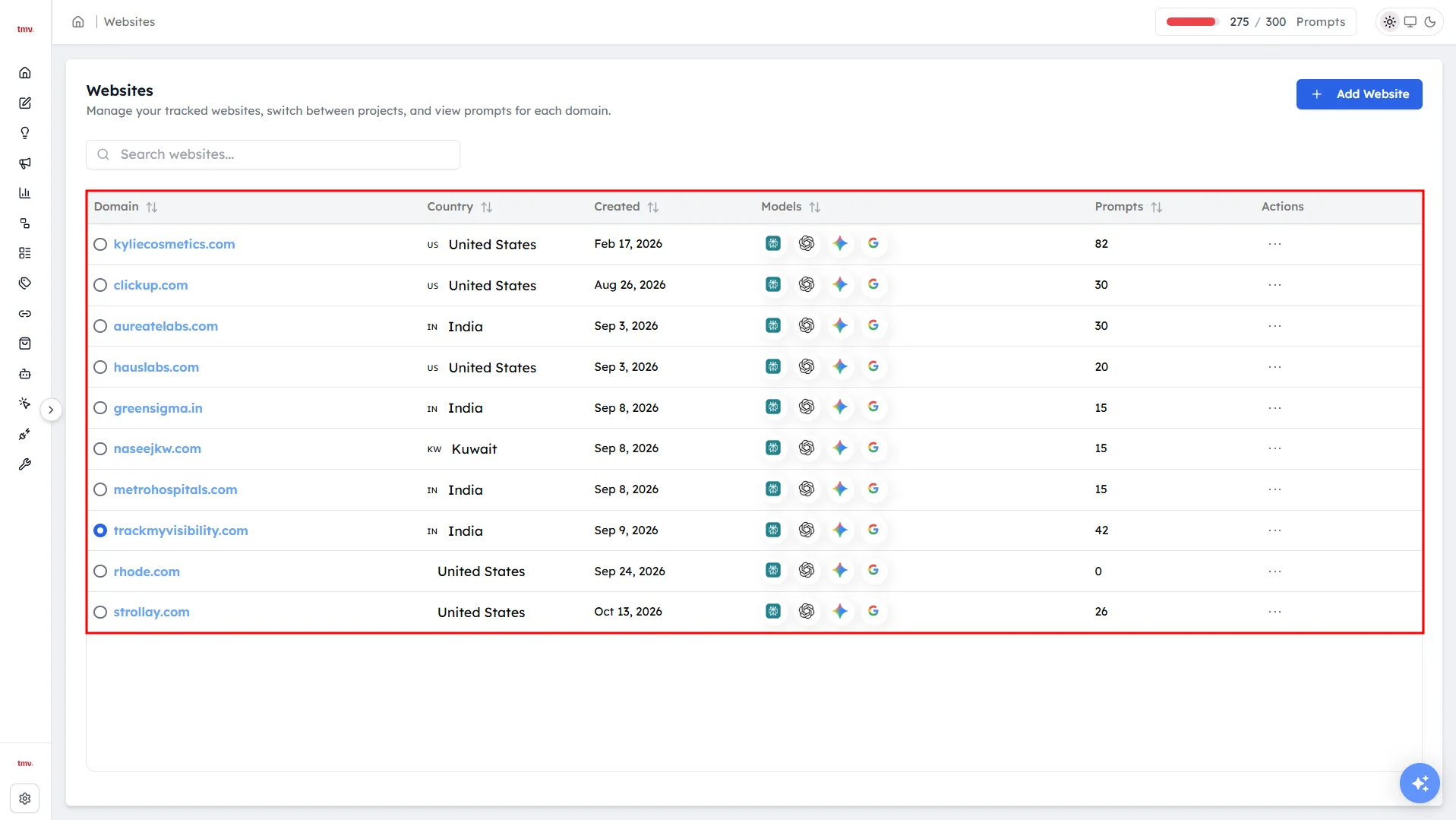
Click the settings icon at the bottom of the left sidebar and select Manage Website to open Website Management. For each website, you'll see:
- The domain.
- The country it's tracked in.
- The date it was added.
- The AI models it's tracked on.
- The number of active prompts.
How to switch between websites#
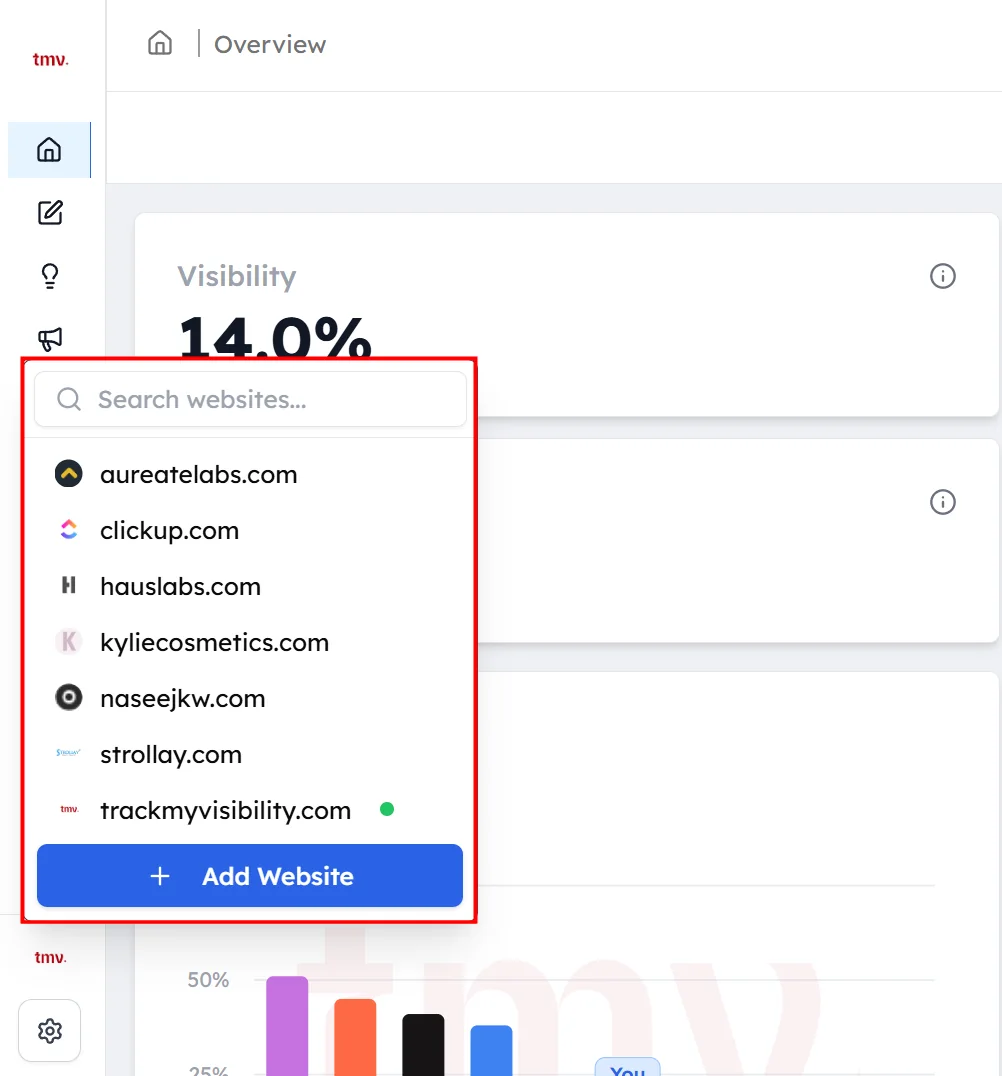
Click the website name at the bottom of the left sidebar to open the website switcher, then choose a different website. Every page then shows that website's data.
How to add another website#
Open the website switcher and click Add Website. The five-step website setup opens, where you add the domain, topics, prompts and competitors for the new website. See Website setup for each step.
How to update a website's settings#
Step 1. Open the website's settings#
In Website Management, open the settings for the website you want to change.
Step 2. Update brand name variations#
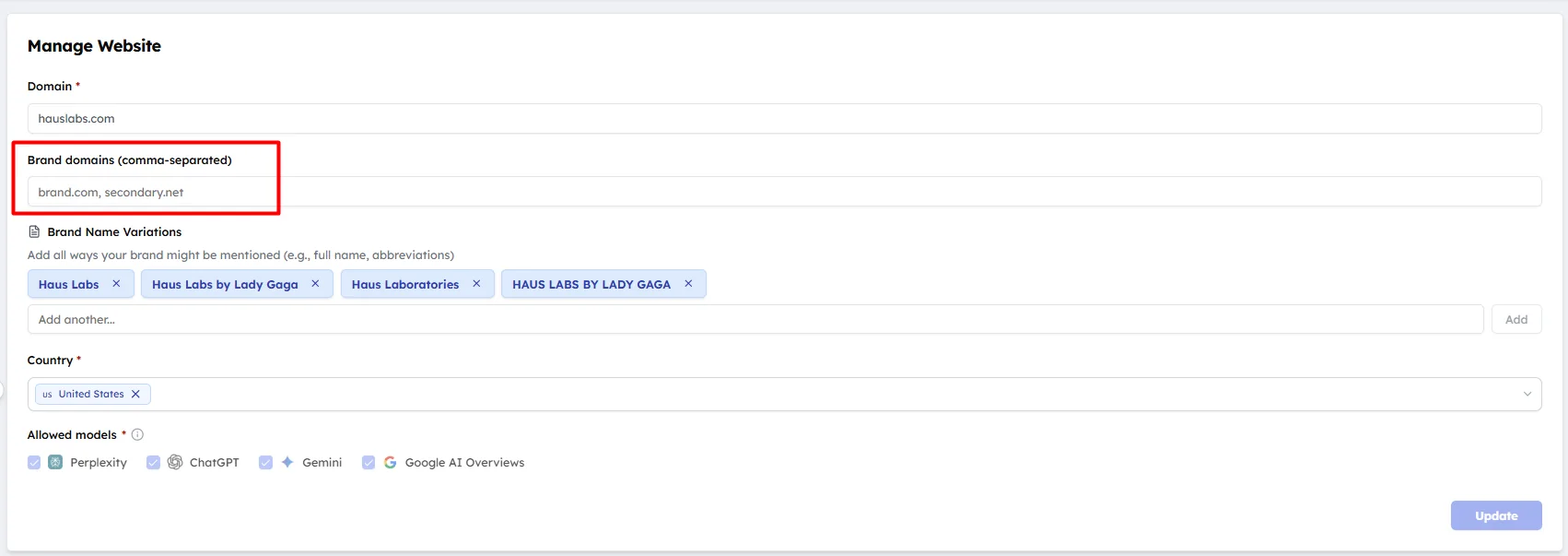
Add every name an AI model might use for your brand, including short forms, product names and common misspellings. A mention only counts if it matches one of these names.
Step 3. Add other domains#
Add any other domains you own, such as regional sites. Citations from these domains count as citations of your own site.
How to remove a website#
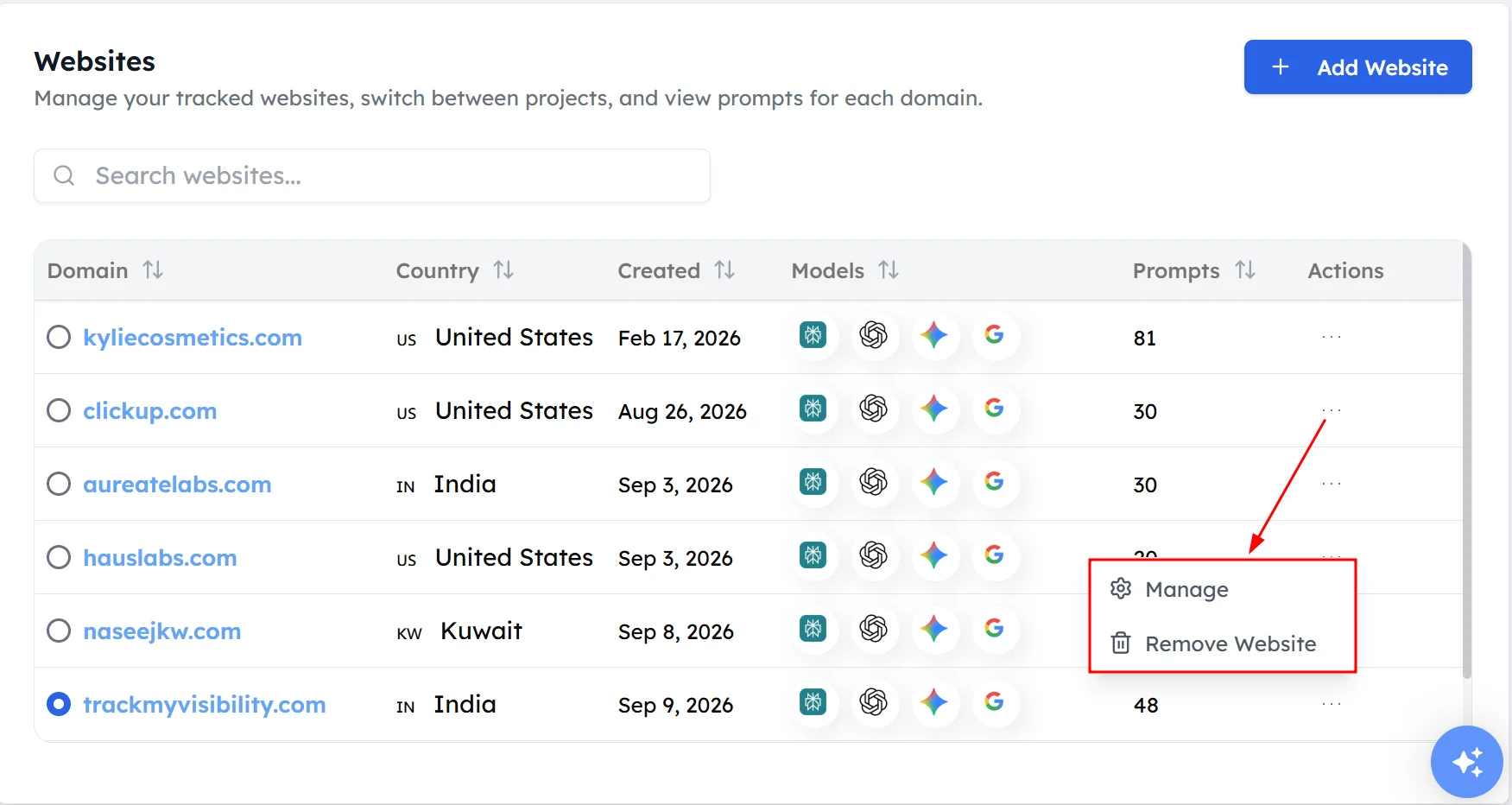
Click Remove next to the website, and its prompts stop running.
Frequently asked questions#
Can I track more than one website in Track My Visibility?
Yes. You can add several websites to one Track My Visibility account, and each website is tracked as its own brand with its own prompts, topics, competitors and results. The number of websites depends on your plan.
Do websites share prompts?
No. Each website has its own prompts, but all websites draw from your plan's prompt quota. Adding prompts to one website reduces the number of prompts available for your other websites.
How do I switch between websites?
Click the website name at the bottom of the left sidebar and choose a different website from the list. All pages then show data for the website you selected.
Can agencies use Track My Visibility for several clients?
Yes. Agencies can add each client's website separately, and each client's data stays separate. Tags can also help you group prompts within a client's website.
Related articles
Last updated 3 Nov 2026
Can't find what you need?
Email support@trackmyvisibility.com with your website, what you were trying to do and what you saw. A screenshot helps.