
Intro to product tracking
On this page
Product tracking in the Track My Visibility application shows how your products appear in ChatGPT Shopping answers. When people ask ChatGPT shopping questions, the answers often show product cards with names, images, prices and stores.
For each product, Track My Visibility shows its visibility, position and win rate, the products shown next to it and the prices ChatGPT displays. Ecommerce brands use product tracking to see which products AI shopping recommends, which it misses and where competitor products win.
Where product data comes from#
Track My Visibility collects products from ChatGPT Shopping answers to your tracked prompts, and these products show an AI badge. You can also upload your own catalog to compare what AI shows with your real catalog. See Managing your products.
How to read the Products tab#
Step 1. Choose which products to show#
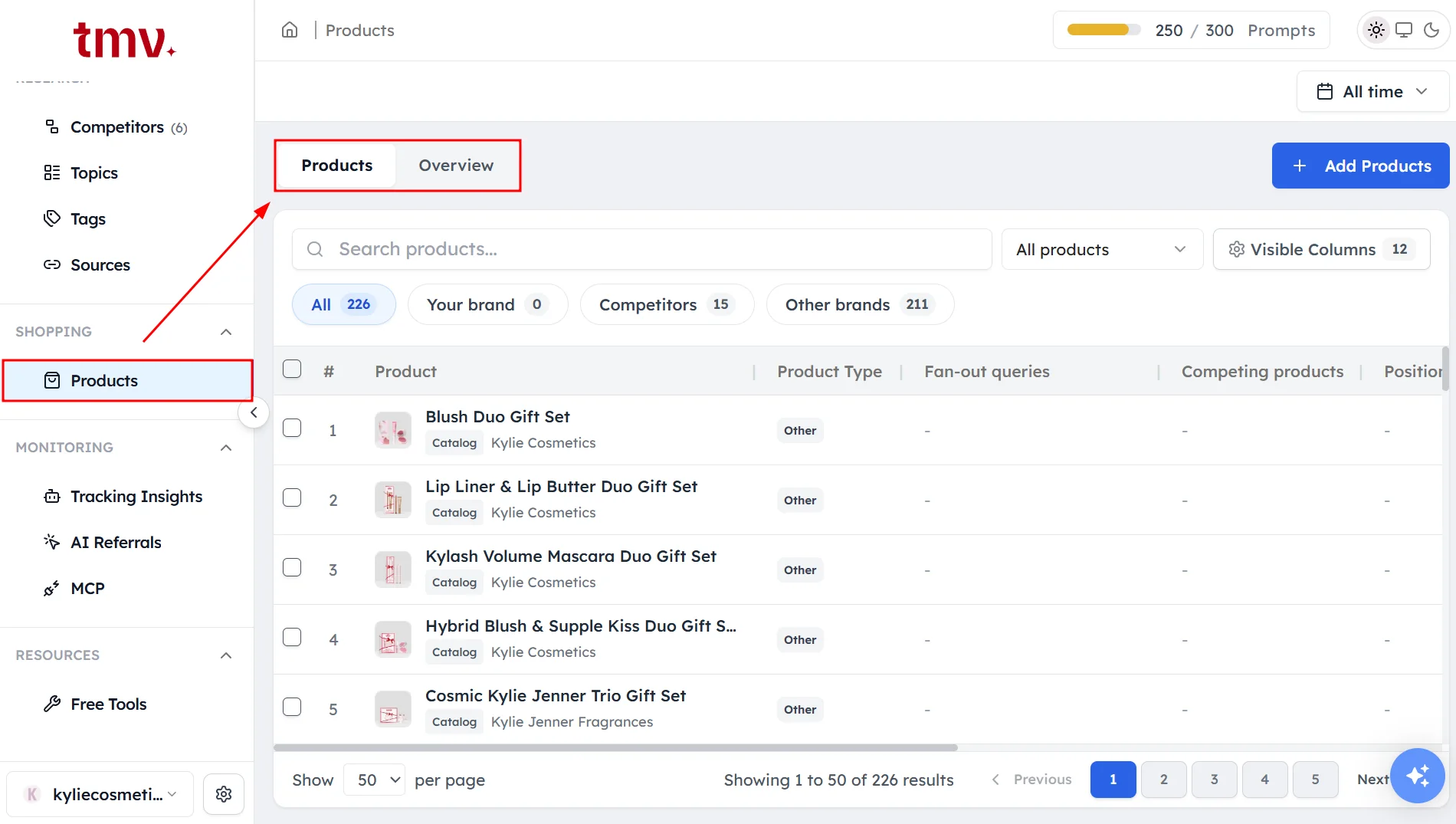
Click Products under Shopping in the left sidebar. Then use the first dropdown above the table:
- My Catalog: products you uploaded.
- AI Discovered: products found in ChatGPT Shopping answers.
- Catalog & AI: products in your catalog that AI also found.
- All Products: everything.
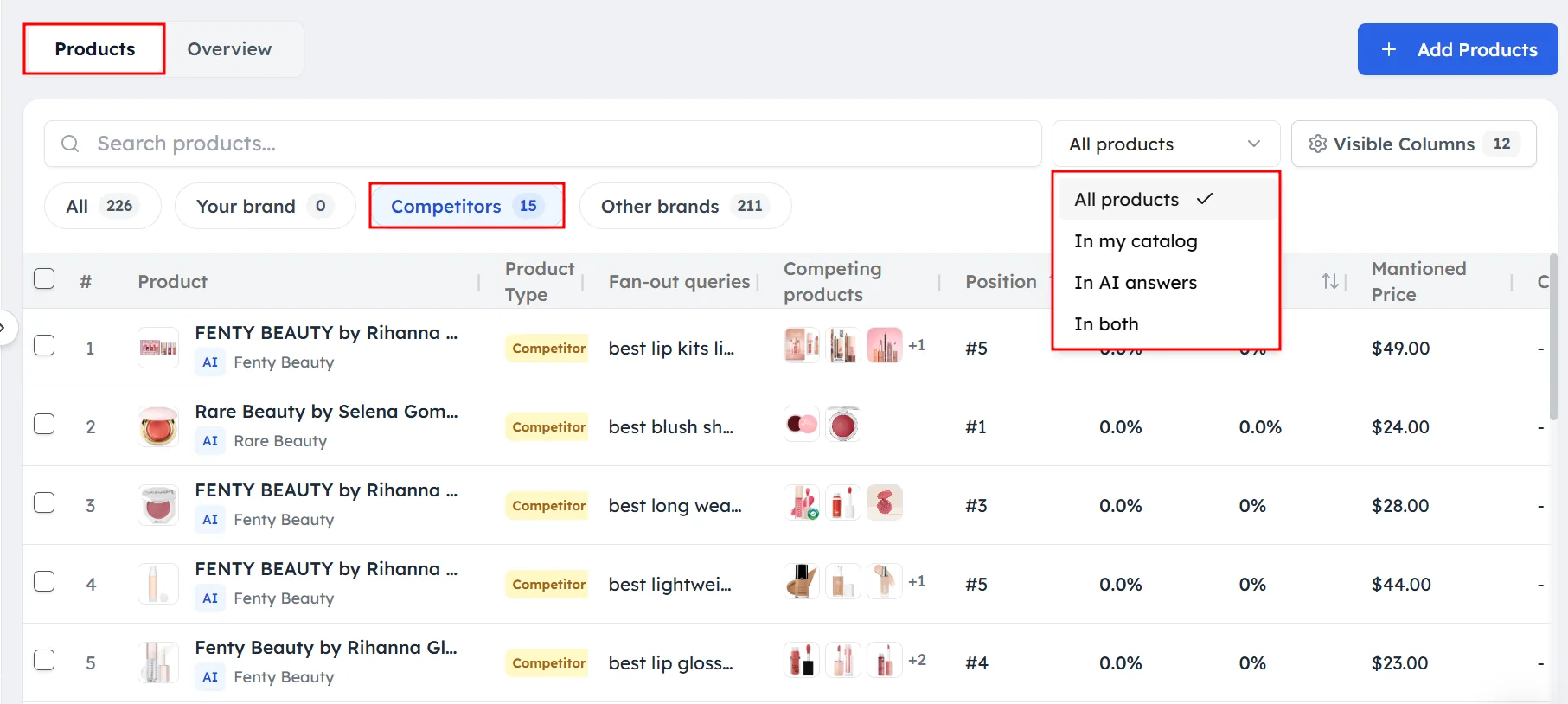
Use the second dropdown to show Your product, Competitor Product or Other product.
Step 2. Read the columns#
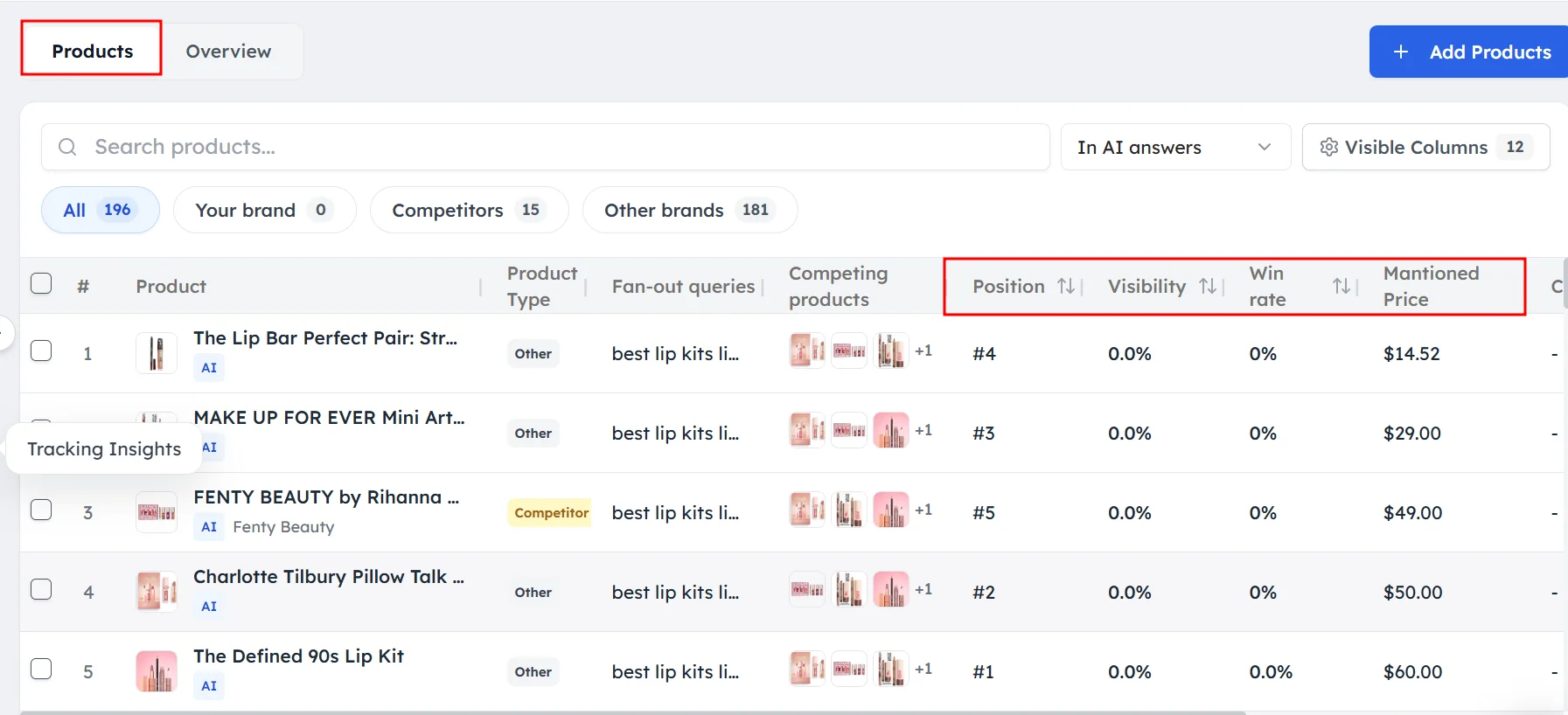
- Product: the image, name, brand and source badge.
- Search queries: the searches ChatGPT ran to find the product, with how often each appears.
- Co-featured products: other products shown in the same answers.
- Position: the product's average place in AI answers.
- Visibility: how often the product is mentioned in AI answers.
- Win rate: how often the product is recommended first.
- Mentioned Price: the price ChatGPT shows.
- Catalog price: the price from your uploaded catalog.
- Variants: the number of variants, mainly from XML feeds.
- Rating and Reviews: the average star rating and review count.
- Appearances: how many times the product appeared in chats.
How to open a product#
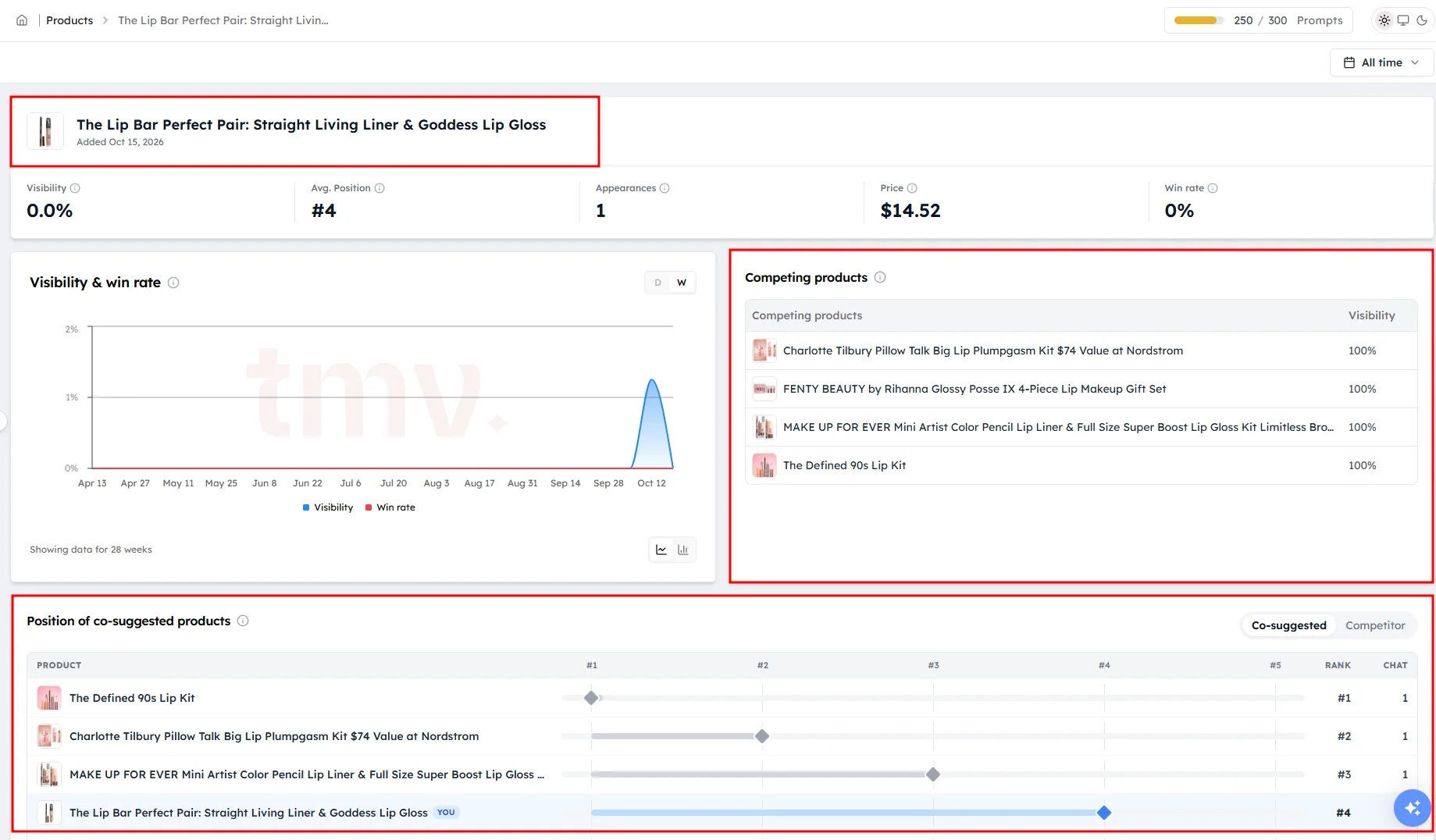
Click a product to open its detail page. You'll see:
- Its visibility, average position, appearances, price and win rate.
- A chart of visibility and win rate over time.
- Co-featured products: other products in the same answers.
- Position of co-suggested products: switch between Co-suggested, which shows every product in the same answers, and Competitor, which shows your products next to competitor products.
- Prompts: the prompts where the product appears. Open a chat to read the AI answer.
- Shopping & fan-out queries: the searches linked to this product.
How to use the Overview tab#
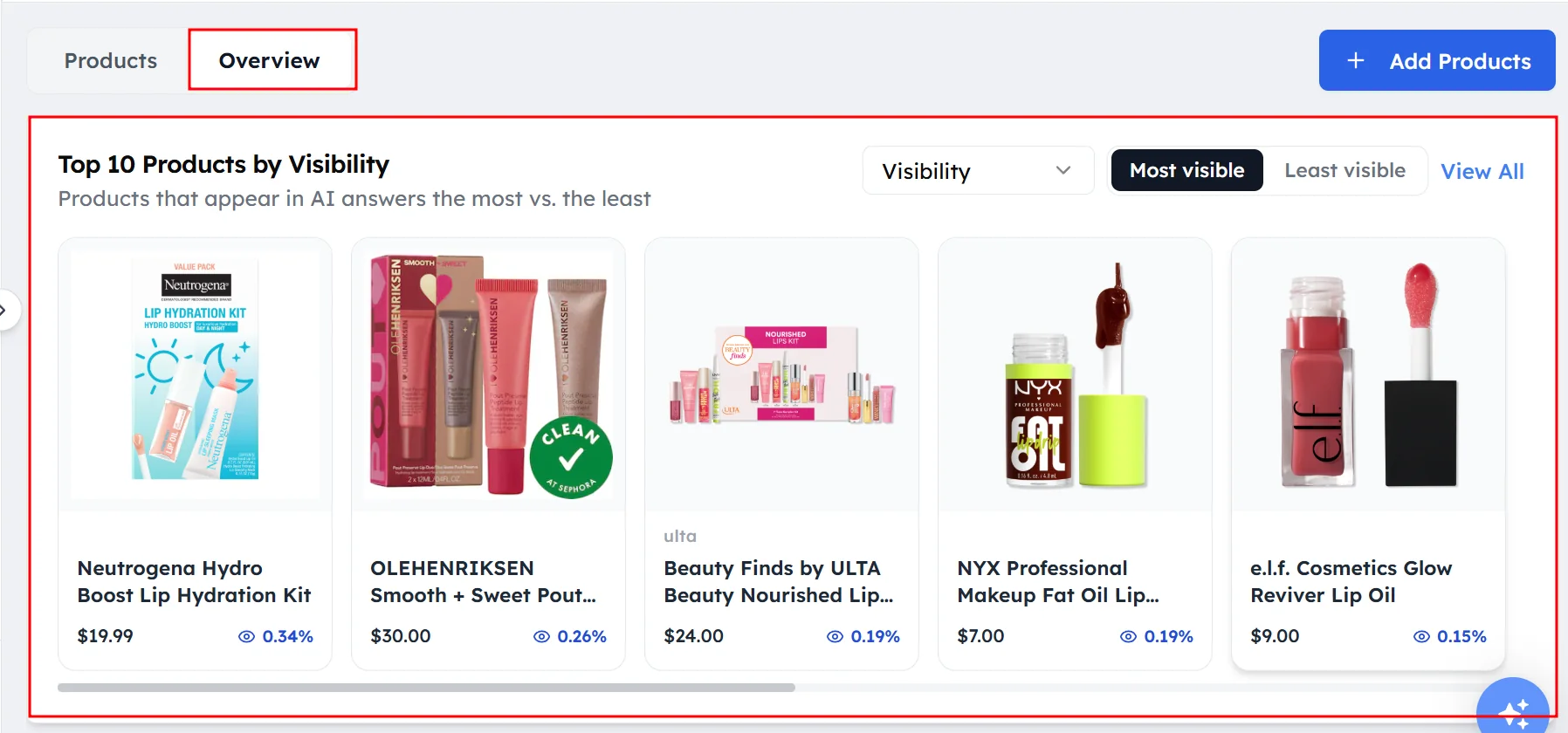
The Overview tab shows which products perform best or worst. It includes:
- Top 10 Products: your best or worst products by visibility or win rate.
- Top Merchants: the stores that appear most often in ChatGPT Shopping answers.
- Top Products: the products that appear most often.
How to review competitor products#
Select Competitor Product in the second dropdown to see only competitor products that appear in ChatGPT Shopping answers. Compare their position, visibility, win rate, price and search queries with yours, then improve your own product pages and listings.
Frequently asked questions#
What is ChatGPT Shopping?
ChatGPT Shopping is the part of ChatGPT that shows product cards with names, images, prices and stores when people ask buying questions. Track My Visibility tracks these product cards for your tracked prompts.
How do I see if my products appear in ChatGPT?
Open Products under Shopping in the left sidebar and select AI Discovered or Catalog & AI. These views show the products ChatGPT included in answers to your tracked prompts, with their visibility, position and win rate.
What is win rate in product tracking?
Win rate is how often a product is recommended first in ChatGPT Shopping answers. A high win rate means ChatGPT often puts that product at the top of its recommendations.
Why does ChatGPT show the wrong price for my product?
ChatGPT often takes prices from retailers and marketplaces rather than your own website. Compare Mentioned Price with Catalog price, and update your listings on the stores that appear in Top Merchants.
Why doesn't my product appear in ChatGPT Shopping?
A product usually doesn't appear because ChatGPT doesn't find it for the searches it runs, or because stronger products appear on the stores it trusts. Check the search queries linked to similar products, improve your product pages and make sure your products are listed with the top merchants.
Related articles
Last updated 3 Nov 2026
Can't find what you need?
Email support@trackmyvisibility.com with your website, what you were trying to do and what you saw. A screenshot helps.